
Missing or zero values can have several causes. Start with the section for the affected integration, then check the account, dates and permissions.
Instagram metrics
Reportei builds follower-change and Stories history from the date the Instagram account is connected. For example, if you connect on January 1, collection begins then. Earlier dates may show zero or no data because Reportei did not collect that history.
The connection must remain valid throughout the period. If Reportei asks you to reconnect, do so promptly to avoid further gaps. If an already connected account has missing follower or Stories data, check whether it was disconnected during the selected dates.
The follower-change metric is calculated as:
Follower change = followers on the last day of the analysis period − followers on the first day of the analysis period.
If either endpoint is missing, the metric can return zero because the calculation cannot be completed. For example, a January 1–31 report cannot use January 31’s follower count if the account was disconnected from January 16 through February 1 and reconnected on February 2.
Follower-change and Stories metrics are particularly affected by collection gaps. Other Instagram metrics may provide historical values, subject to the platform’s retention rules and the specific metric. Reconnecting does not guarantee that every missing value can be recovered.
RD Station metrics
Some RD Station conversion and opportunity metrics are built from webhook events collected after connection. These events do not include an earlier history. This limitation does not mean that every RD Station API metric lacks historical data.
If you have just connected the account, use dates after connection for event-based metrics and keep the integration active so Reportei can build that history.
History depends on the data source and your RD Station plan. For example, email analytics are available through the API: Pro accounts have a 45-day query window, while Advanced accounts support older data. Check the affected metric before concluding that its value should be available.
Other platforms
Historical availability varies by platform and metric. If the selected dates should be supported, check the three common causes below.
1. The platform has no data for the selected period
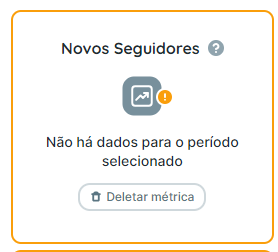
For Instagram follower-change and Stories metrics, check that the account was connected throughout the required period.
Open the source platform and select exactly the same account and dates as the report. Check whether it has data for that period, allowing for processing delays and any differences in filters.
For example, if a Meta Ads report shows zero, open the connected ad account in Ads Manager, choose the same dates and view the Campaigns tab. If data is present there, continue with the next checks.
2. The wrong account is connected
Check the account name or identifier in the report and on the project’s integrations page.
If it is the wrong account, connect the intended account to the project and generate a new report. Before removing an existing connection, check whether other reports or automations still use it.
3. Required permissions are missing
Reportei needs the platform’s permissions and valid access tokens to retrieve data through its API. Missing or expired authorization can interrupt collection.
Grant the permissions needed for the accounts you are connecting. Changing a shared authorization can also affect other accounts or projects that use it, so preserve the access those integrations still need.
Reconnect the affected account from the integrations page, review the requested permissions and generate a new report. If data is still missing, contact support with the account, metric and dates you checked.
If you have any questions, contact our support team.