
Reportei Studio is a new way to create reports and presentations in Reportei using artificial intelligence. Unlike a traditional report, Studio lets you describe what you need, then AI builds the complete presentation—its structure, text, and charts—using data from the accounts connected to your project.
How to create a Studio
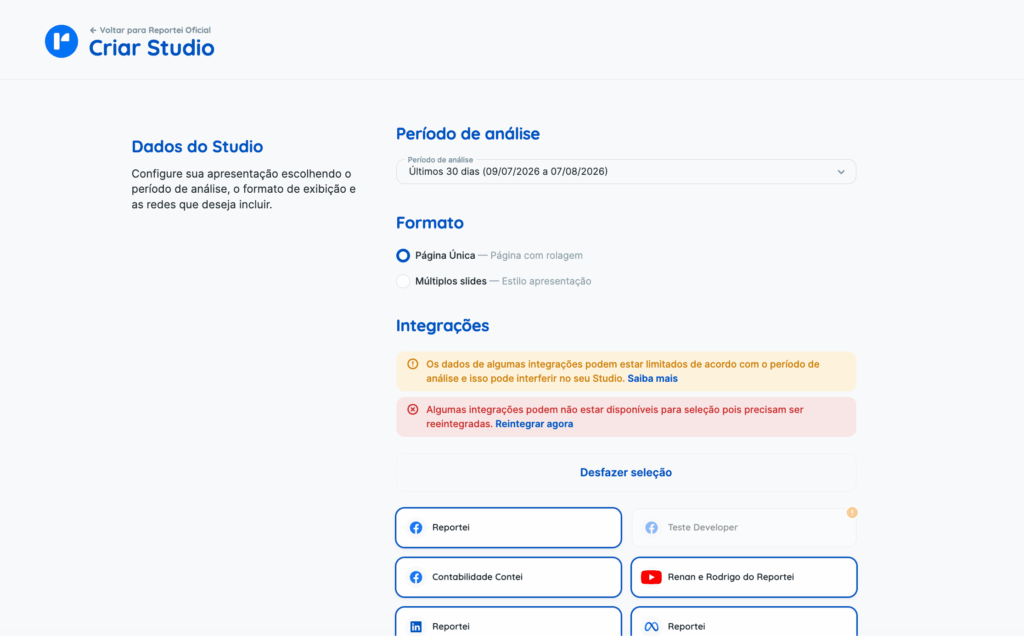
You can create a Studio directly within a project. When creating it, choose:
- your analysis period;
- the presentation format;
- the accounts you want to include.
Studio uses the same data available in traditional Reportei reports.
Two presentation formats
- Single page: one continuous, scrollable page, similar to a web report.
- Multi-slide: a presentation divided into slides, particularly useful for performance reviews and client presentations.
Create and edit through conversation
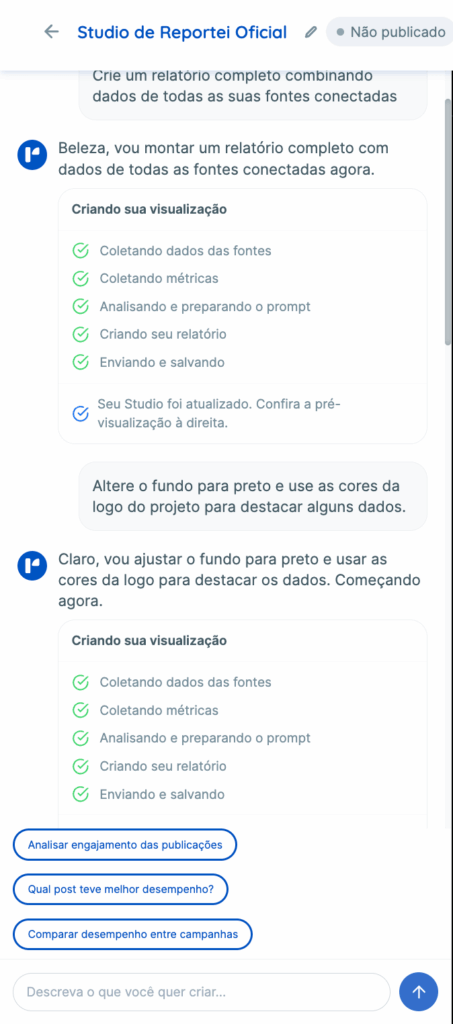
You build the entire presentation through chat. You can request changes such as:
- changing colors and visual style;
- adding or removing information;
- changing charts;
- reorganizing sections;
- editing text.
Targeted changes are applied only where needed, without regenerating the entire Studio.
You can also ask questions about the data directly in the chat. In that case, the assistant answers your question without changing the presentation.
Custom visual identity
Each Studio receives a visual identity when it is created, including colors, typography, component styles, and content layout.
You can also set preferences through chat—for example, ask for a particular color palette or a different presentation style. These preferences are retained when you make further changes.
Changing the analysis period
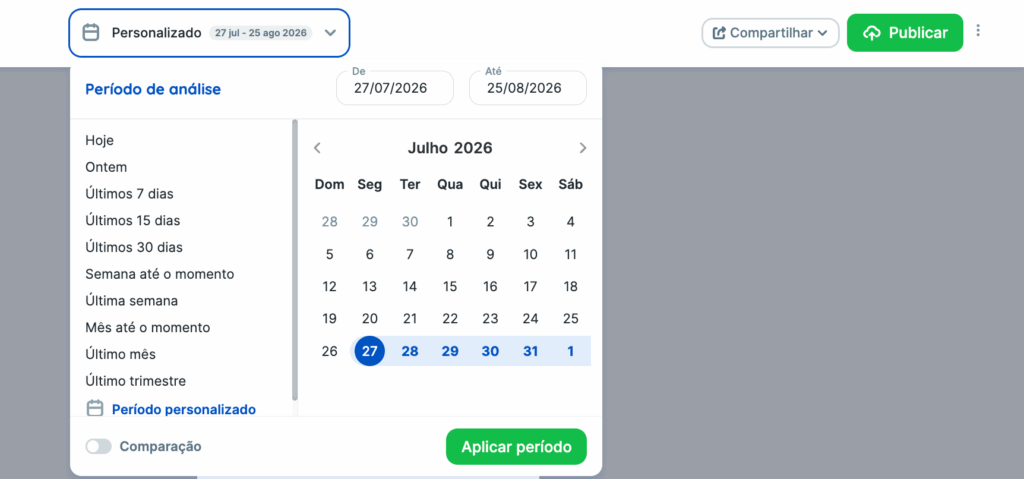
After creating a Studio, you can change the analysis period without rebuilding the presentation. Its data, charts, and tables update to the new period while its design and structure are preserved.
Publishing and sharing
While you are editing it, your Studio is a draft. Publishing creates a version you can share through:
- a public link;
- an embed on other websites or portals.

Changes you make later in the editor do not automatically affect the shared version. The public content is updated only when you publish again.
Usage limits
Reportei Studio is available to all customers on a trial basis, with a monthly usage limit. This limit is shared with other Reportei AI features, such as Chat AI and the AI Assistant on WhatsApp.
The feature is still in its initial release and continues to evolve. We are refining the experience based on usage and feedback.