
You can now add a title and categories to your Flux posts to organize content using the labels from your planning process. Both fields are optional, can be added when creating or editing a post, and are not published on social media.
Many customers plan content outside Flux, in spreadsheets or task and project management tools. Posts in these tools often already have a name or identifier to keep them organized as they pass between social media managers, designers, and account managers.
Previously, that reference was lost when content was added to Flux. Now you can save it with the post, making it easier to identify in Flux.
How it works
When creating or editing a post, you can:
- add a title;
- add up to three categories.
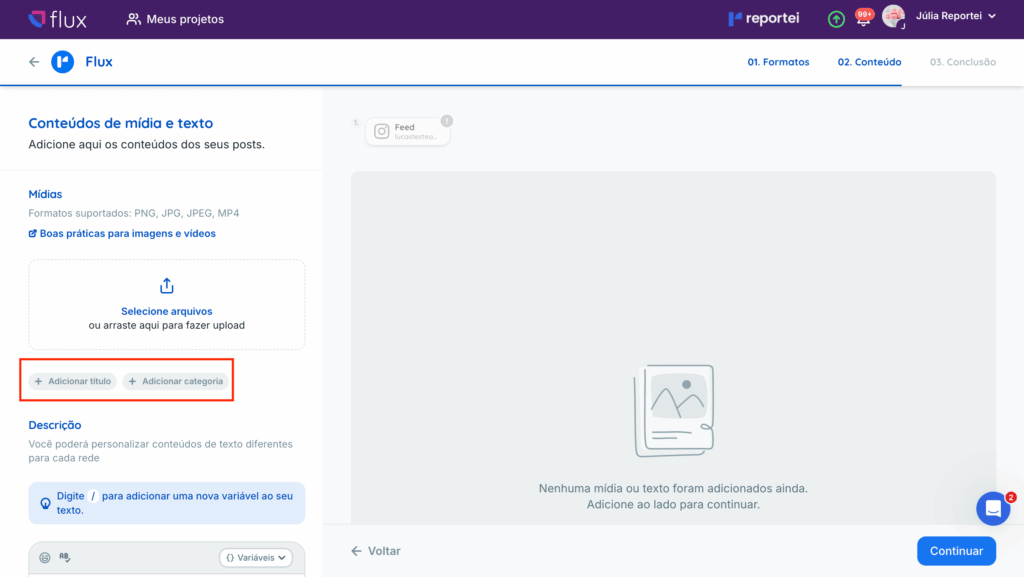
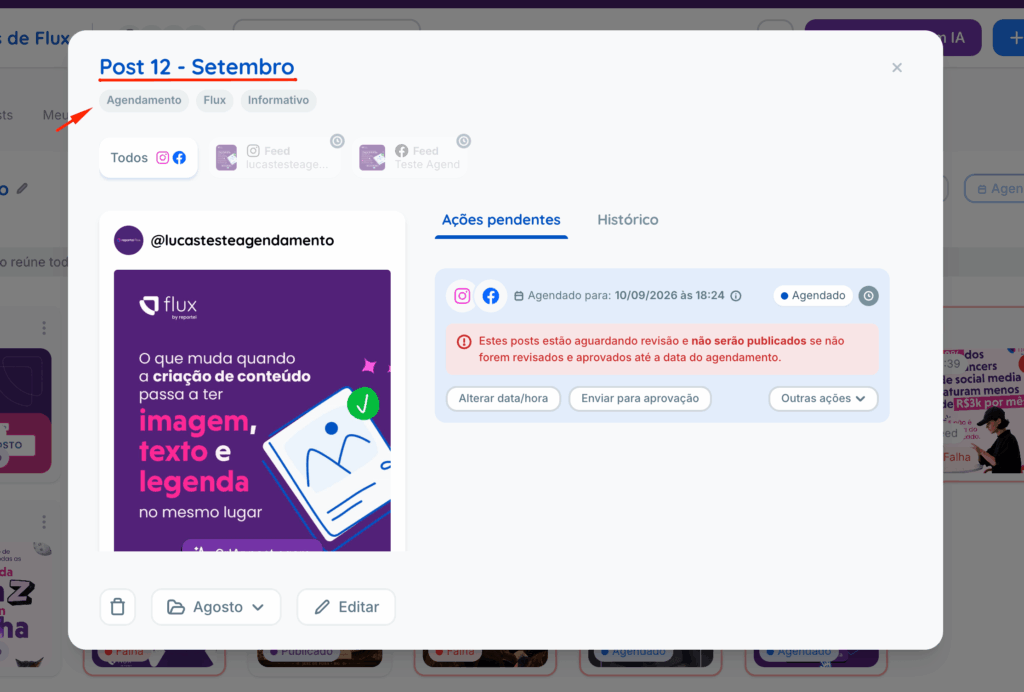
Once saved, these details appear in the Post details dialog.
Note: titles and categories are visible only to your team in the Post details dialog. They are not shown to people approving content or published on social media.
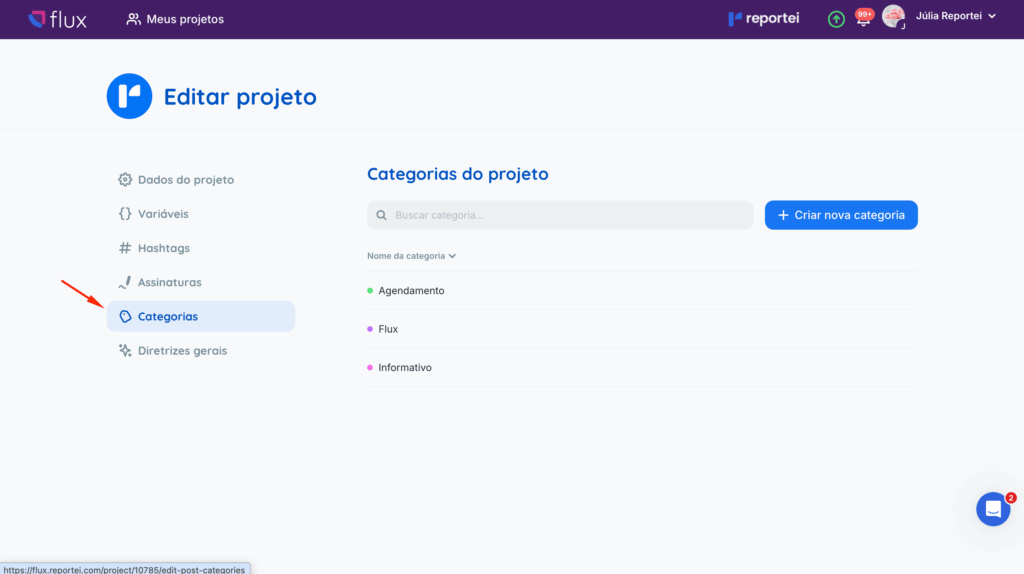
Categories by project
Categories belong to individual projects, so each client can have its own organization system, such as Educational, Corporate, or Promotional. You can create and edit categories on the project editing page.
Frequently asked questions
Can the client see the title or categories during approval?
No. They are visible only to your team in the Post details dialog.
Are categories shared across all projects?
No. Each project has its own categories, so you can organize each client’s content in its own way.
Do I have to enter a title and categories?
No. Both fields are optional.
If you have questions, contact our Support team through chat. =)