
You can now add audio to Instagram Reels directly in Flux. Choose music or original audio to accompany your video before scheduling or publishing the Reel, without leaving the platform.
🎵 Important points
- This feature is available only for Instagram Reels.
- You cannot yet add audio to Feed posts or Stories.
- Your Instagram account must be a business account connected to Flux through the Facebook integration.
⚙️ How to add music
When creating or editing a Reel, you will see a new “Audio” tab.
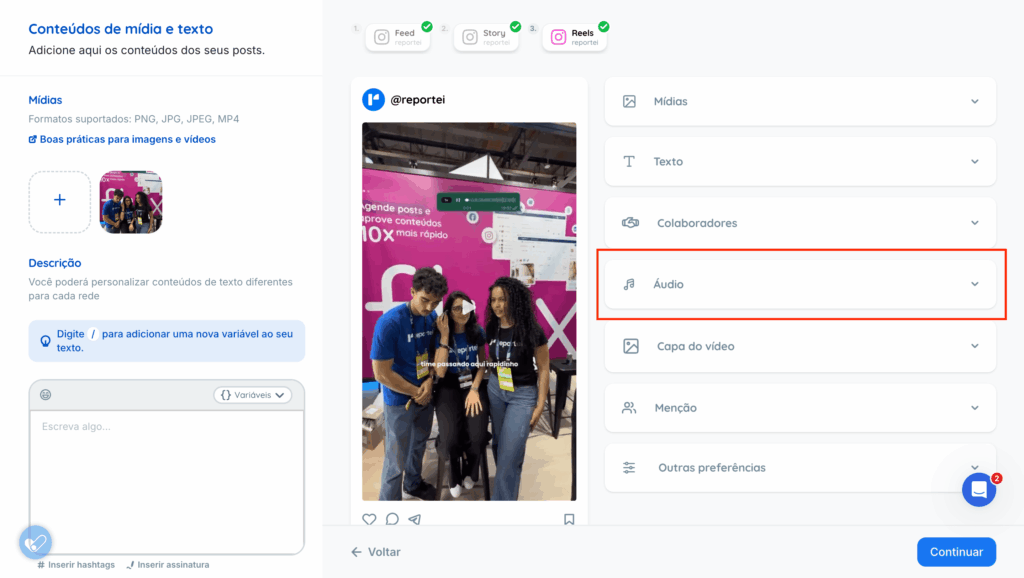
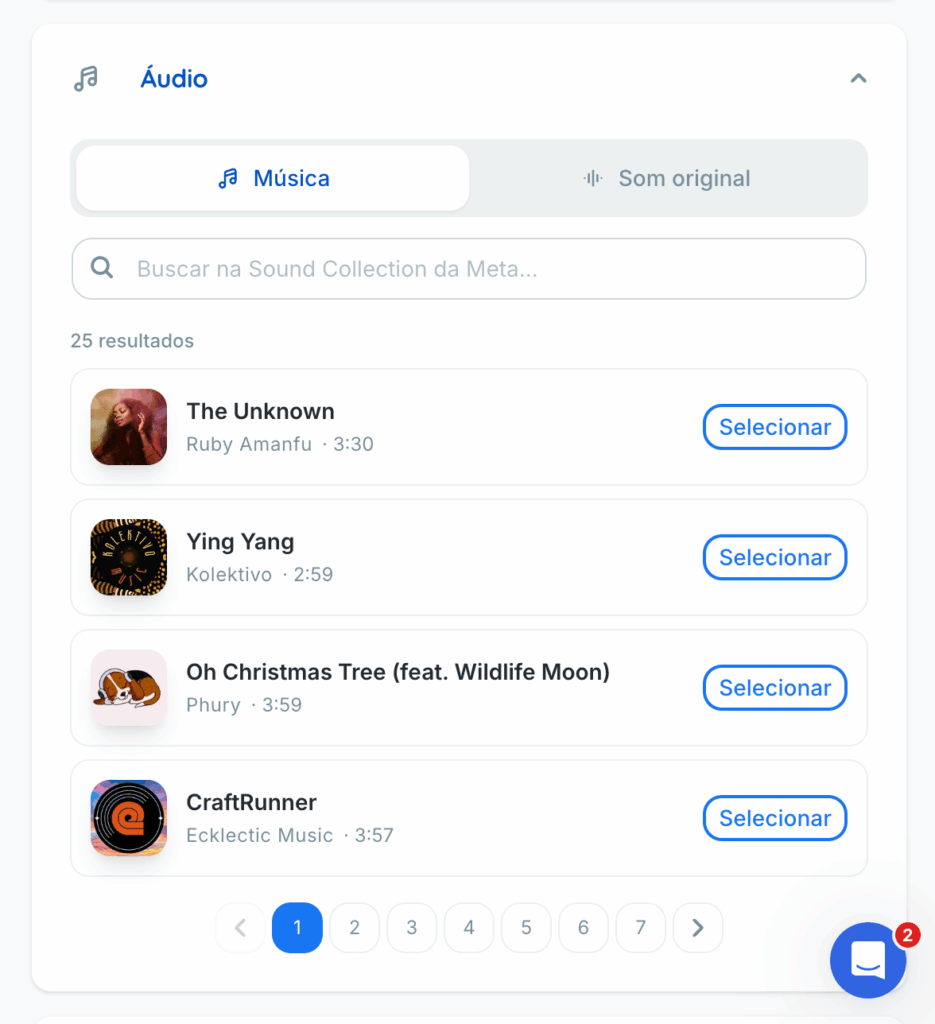
It offers two options:
- Music: tracks available under Instagram and Facebook’s music licenses.
- Original audio: audio outside the official music library. This may be audio recorded with the video, included in the uploaded file, or created by another Reels user.
After selecting music or original audio, you can:
- listen to the selected audio;
- adjust the volume of the added audio;
- adjust the video’s original volume.
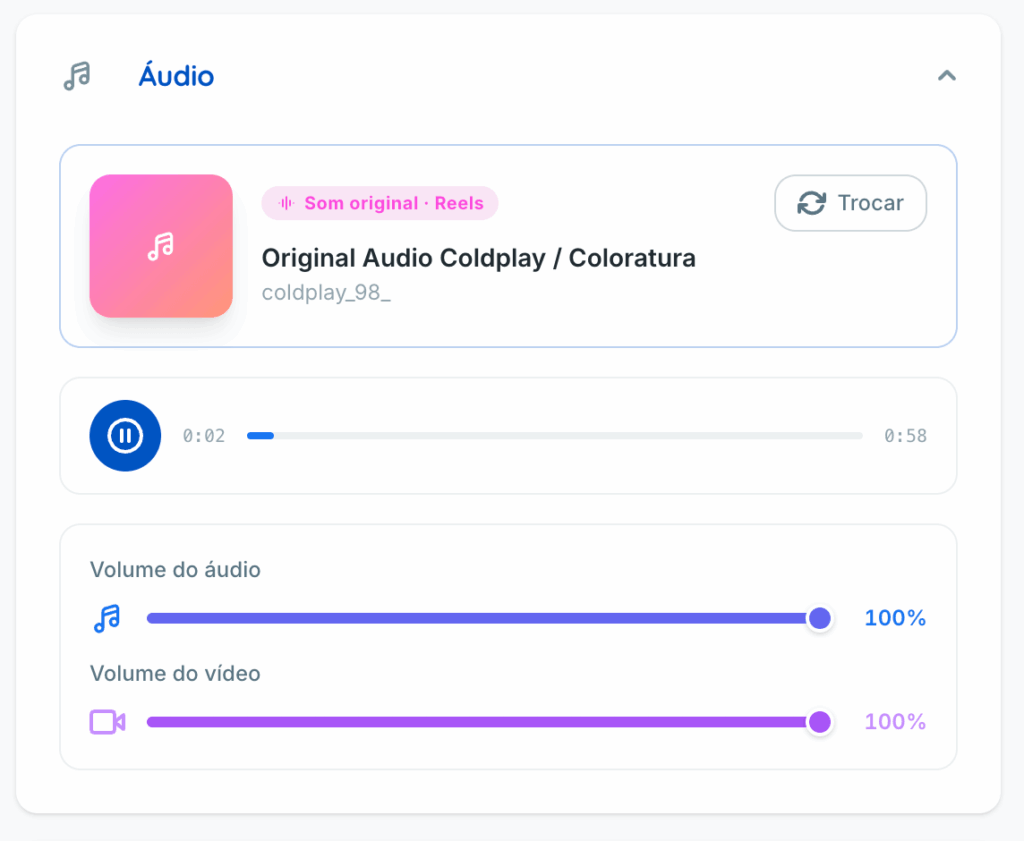
These volume controls are useful, for example, when balancing background music with narration already in the video.
🔍 Music search limitations
Adding audio through Flux does not mean every track on Instagram is available. Search shows only audio provided through Meta’s integration/API.
A track available in the Instagram app may therefore be unavailable in Flux. The available audio depends directly on what Meta exposes through its integration, rather than on a restriction imposed by Flux.
If you have questions, contact our Support team through chat.