
To connect a YouTube channel to Reportei, you need administrator access to the Brand Account that owns the channel.
Access granted through YouTube Studio is still limited for this integration. If your access is only through Studio, you will not be able to connect. Follow the steps below to adjust your access and connect the channel for reporting.
To connect through the API, the invitation needs to be sent through the Brand Account rather than through YouTube Studio.
What is a Brand Account? A channel is usually associated with a Brand Account, and both have the same owner. The owner should send the invitation through that account.
To invite someone through a Brand Account:
- The owner should open this link.
- They will see the channel’s Brand Account. Click it to manage it.
- The page looks similar to this:
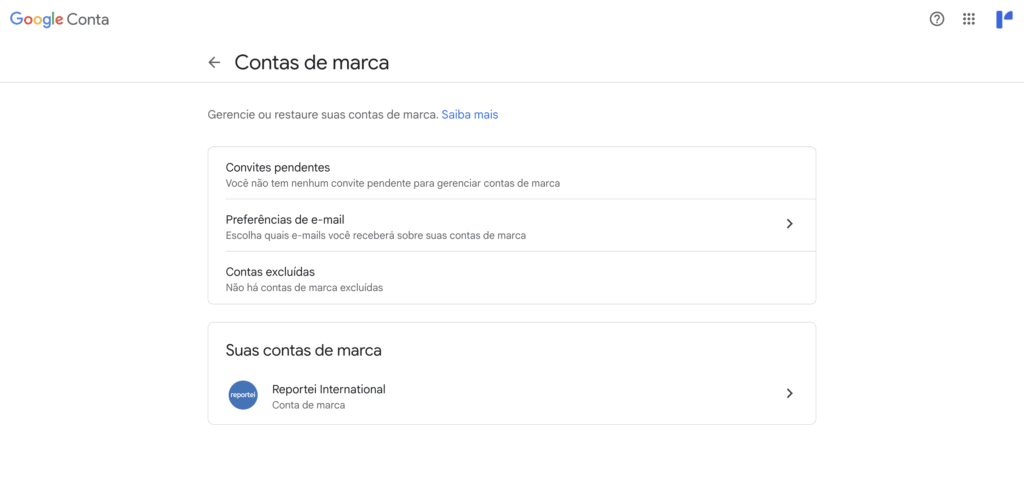
- After opening the relevant Brand Account, the owner can invite other email addresses.
- Once you have direct Brand Account access, you can connect the channel to Reportei.
Another option: the channel owner can sign in using their own Google account during the Reportei connection process. The channel associated with that account will then be available to select and connect.
If you have questions, contact our Support team through chat! =)