
It is now possible to share an external view of the post calendar from Flux with others even if they are not invited users as a Team on your account
With the sharable link, clients, partners, or other team members can follow the post calendar without needing to access Flux. With this, besides post approval via the Approval Group, the calendar gives an overview of content planning.
How to share the calendar
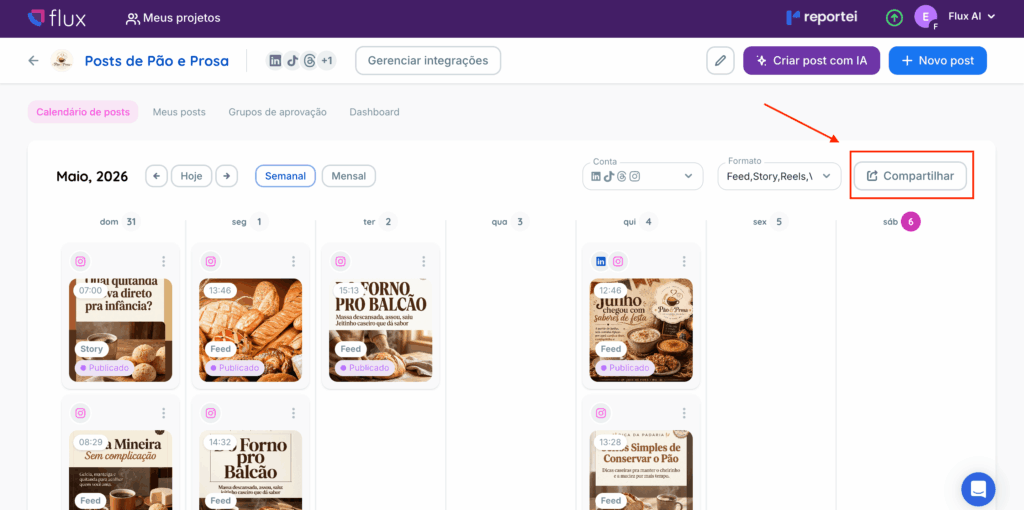
To generate the external link
- Access the Flux;
- Enter the desired project
- Go to the Post Calendar;
- Click on the Share option available on the calendar
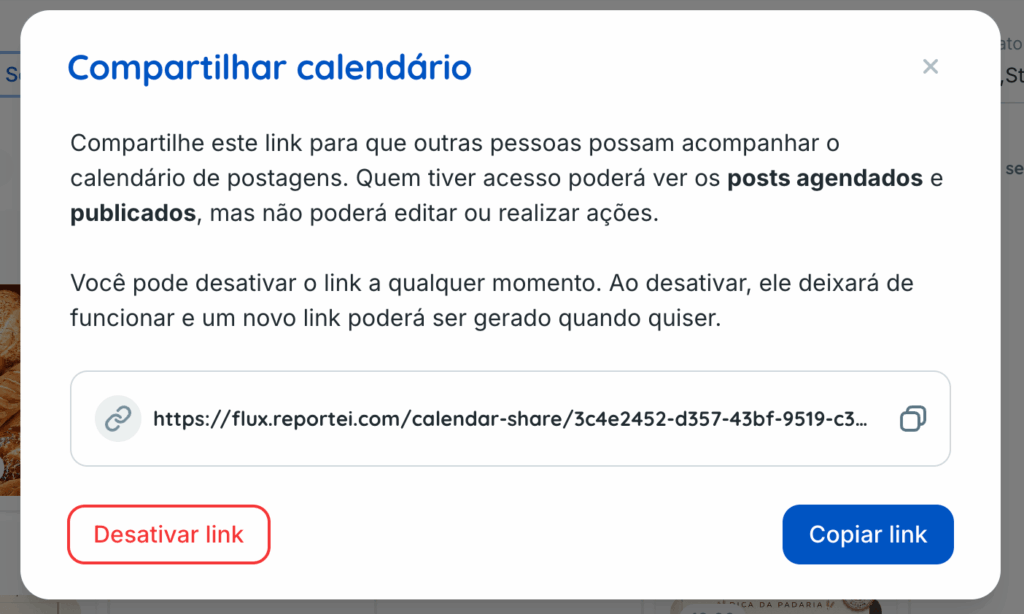
- In the window that will open, click on Copy link;
- Send the link to those who need to follow the calendar
Done. The person will be able to view the external post calendar
What appears on the external calendar
Only posts will be displayed on the external calendar
- pre-scheduled
- scheduled
- already published
In other words, the link is designed for tracking content scheduling without access to other internal areas of Flux
Can those who access the link edit posts
No. Those with access to the link will only be able to view the calendar and the post contents It will not be possible to edit, approve, disapprove, comment, request adjustments, or perform any other action within Flux
What appears in the post details
By clicking on a post in the external calendar, a window with the content details will be displayed
In this external view, only the main information of the post appears. The history and pending actions tab are not displayed
Why do some posts appear as scheduled
Currently, Flux does not yet have an external status called pre-scheduled.
Therefore, all posts that already have defined date and time may appear on the external calendar as scheduled even if internally they have another status such as
- approved
- adjustment requested
- awaiting review
Can I deactivate the shared link?
Yes, in the same Share option, you can click on Deactivate link By doing this, the current link stops working and anyone trying to access it will no longer be able to view the calendar
If you click on Share again after this, a new link will be generated
The external calendar is a practical way to share content scheduling with clients or people who need to follow the posts but without giving access to editing or internal actions of Flux
If you have any questions, contact our support team via chat