
Nuvemshop is an e-commerce platform for creating, managing, and customizing online stores. Its integration is available on our Pro plans and higher.
To connect your account, open the relevant project, go to “Manage integrations”, and scroll to the platform’s icon:
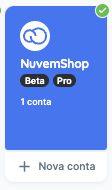
Click “Connect”, or “New account” if you already have a Nuvemshop account connected. You will be redirected to sign in to Nuvemshop.

Time to generate reports!
After completing these steps, your Nuvemshop account will be connected to Reportei. You can generate reports and view key store data directly in our platform.
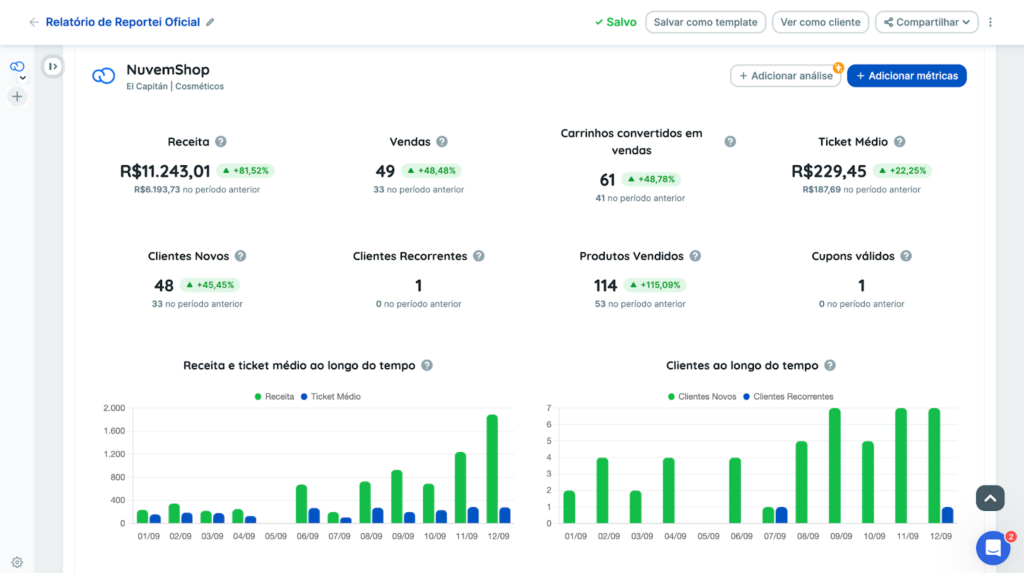
Here are some of the metrics available in Nuvemshop reports. You can see the full list in the report’s metric selector.
- Revenue;
- Sales;
- Average order value;
- Carts converted into sales;
- New customers;
- Returning customers;
- Products sold;
- Valid coupons;
- [Chart] Revenue and average order value over time;
- [Chart] Customers over time;
- [Table] Product performance;
- [Table] UTM traffic sources;
- [Table] Payment method performance.
If you have questions, contact our Support team! =)