
Hashtag and signature groups help streamline caption creation by allowing you to reuse texts that you frequently use in your posts.
With this feature, you can create custom groupings and quickly add them during the creation or editing of a post.
What are hashtag groups
Hashtag groups allow you to save sets of hashtags to be reused whenever necessary.
For example, you can create specific groups for different clients, campaigns, or market segments, avoiding the need to type or copy the same hashtags in each publication.
Example
- marketingdigital
- socialmedia
- entrepreneurship
- business
What are signature groups
Signature groups allow you to save standard text blocks that can be automatically inserted at the end of the caption.
This feature is useful for including recurring information such as
- Contact details
- Calls to action (CTA)
- Links
- Institutional information
- Brand signatures
Example
Did you like the content? Contact our team
00 00000000
🌐 www.yoursite.com.br
How to add a hashtag or signature group to a publication
When creating or editing a post, you will find the options of Hashtag Group and Signature Group next to the description/caption field.
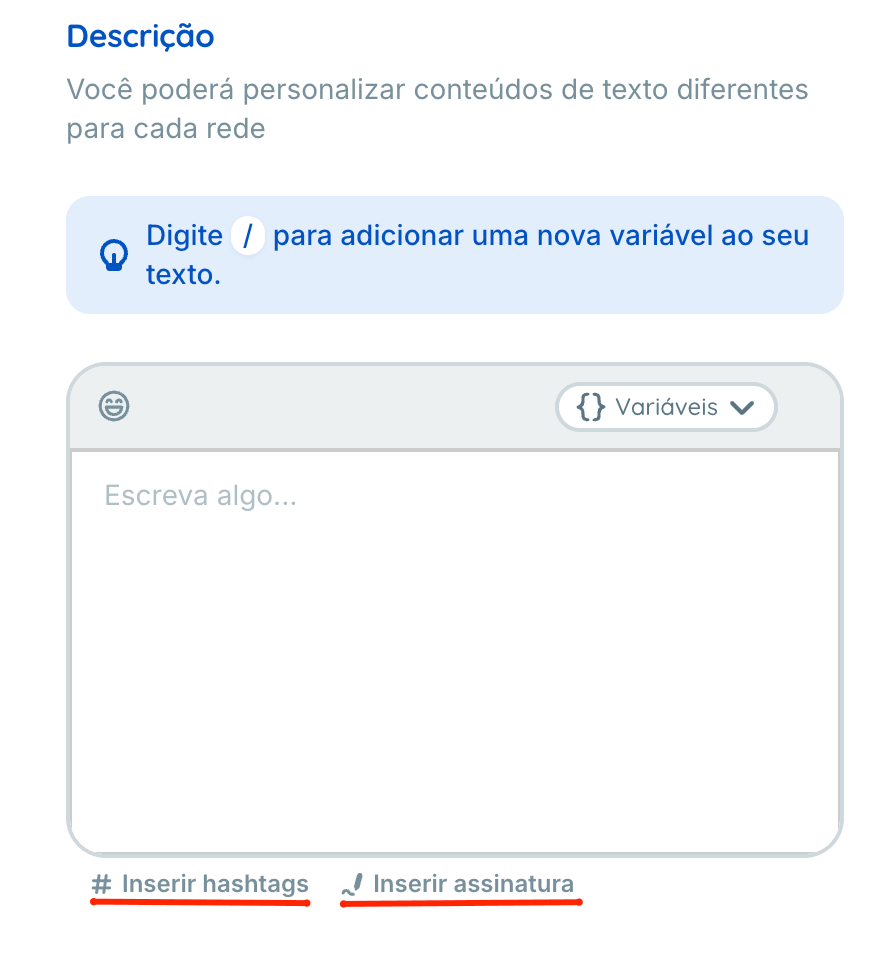
- Click on the desired option
- A list of already registered groups will be displayed
- Select the group you wish to use
- The content will be automatically inserted into the caption
After insertion, the text can be freely edited before publication.
How to create a new group during post creation
If there is no registered group yet, you can create a new one directly through the selector
- Click on Hashtag Group or Signature Group.
- Select the option Create new grouping.
- Provide a name for identification
- Add the desired content
- Save the changes
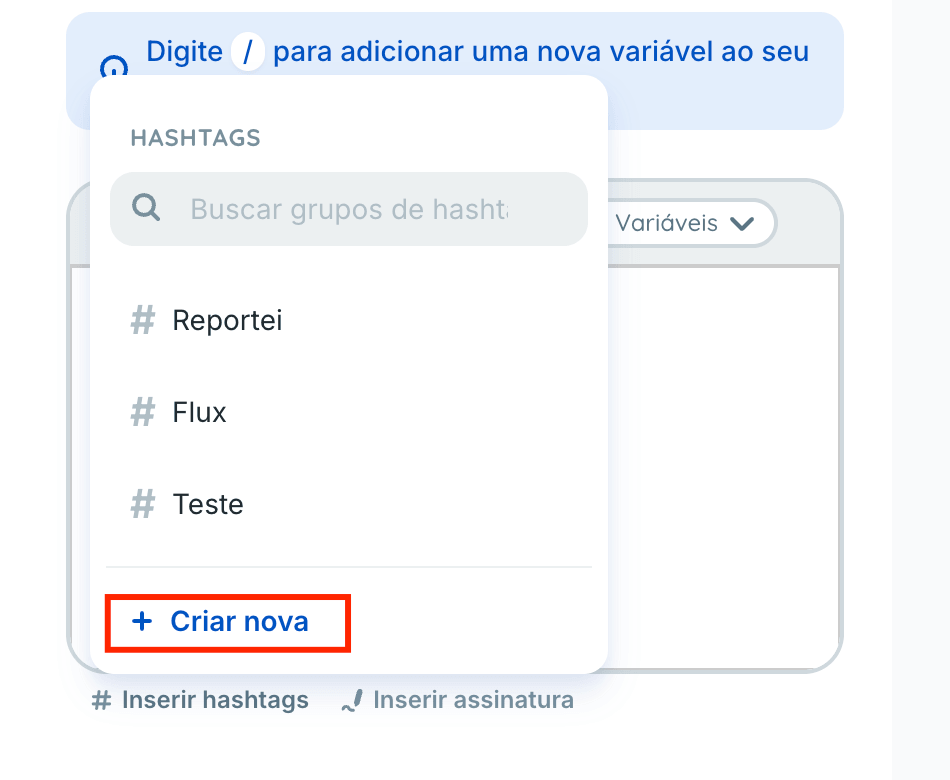
The new group will be available for reuse in future publications.
How to edit or delete existing groups
Hashtag and signature groups can be managed on the project editing page.
To do this
- Access the desired project
- Open the project editing screen
- Locate the section of Hashtag Groups or Signature Groups.
- Edit, delete, or create new groupings as needed.
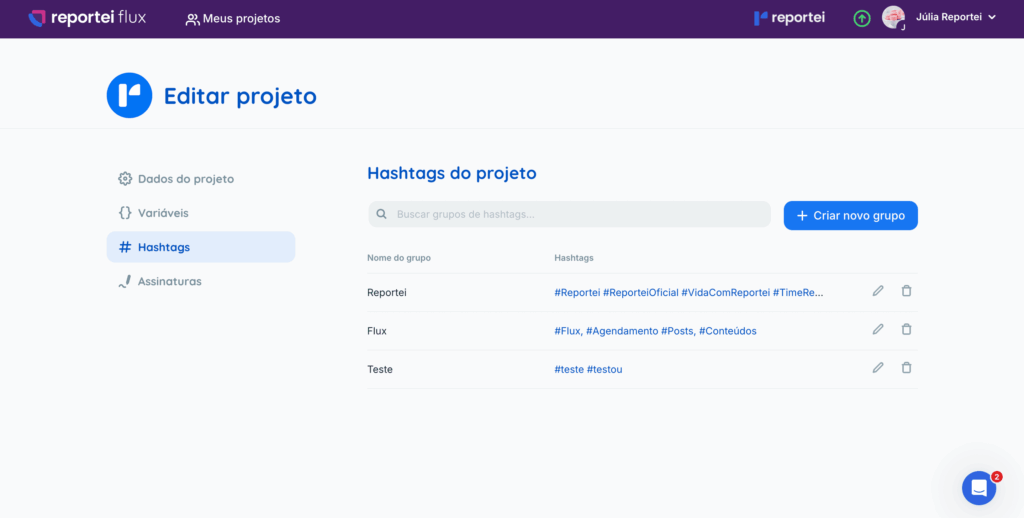
The changes made will be reflected in all future uses of these groupings.
Tip
Use hashtag and signature groups to standardize your clients’ communication, save time on content creation, and maintain consistency in posts made by Flux.
If you have any questions, contact our Support team via chat.