
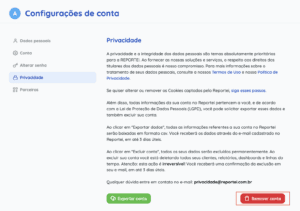
To delete your account, open the top-right menu and select Account settings, or go directly to Privacy. The account removal button is at the bottom of the page.
Important: requesting account deletion removes all your information and reports.
If you have a paid subscription, cancel the plan before deleting your account. Account deletion is not the same as subscription cancellation.
To cancel your plan, open the top-right menu and select My plan. Use the cancellation button on that page. Please tell us why you are canceling so we can address any issues you experienced.
If you have questions, contact our Support team! =)