
Prefer to listen? Use the player below for the original Portuguese audio, when available.
To understand a metric in your report, click the helper: the question mark (?) next to the metric.
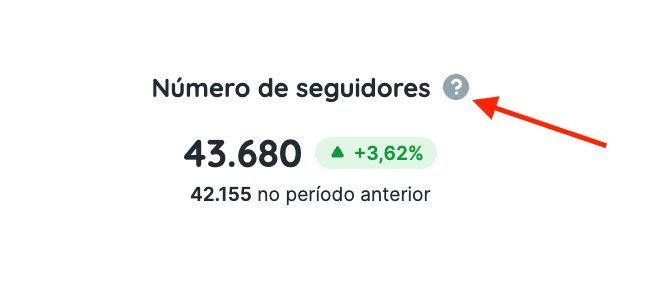
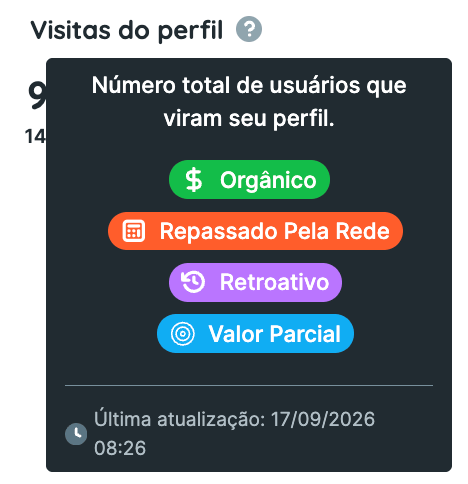
The helper shows a description of the metric and labels explaining how to interpret its value. These labels fall into four groups:
- Cost
- Organic: the value relates to organic activity.
- Paid: the value relates to paid activity.
- Mixed (organic + paid): the value includes both organic and paid activity.
- Calculation
- Calculated: Reportei calculates the value using information returned by the platform’s API.
- Estimated by the platform: the platform identifies this as an estimate. Reportei displays the value returned by its API.
- Provided by the platform: the platform calculates the value, and Reportei displays what its API returns. This label identifies the source of the calculation; it does not guarantee that all platform data is exact.
- Data history
- Historical: the metric can include historical data.
- No historical data: the metric is collected from the date the account is connected to Reportei; earlier data is unavailable.
- Value
- Total value: the metric’s cumulative value over the account’s lifetime.
- Period value: the value relates to the analysis period selected for the report.
If you have any questions, contact our support team.