
In the report editor, click Add metrics at the top of the relevant network block.

Alternatively, select a network in the left sidebar.
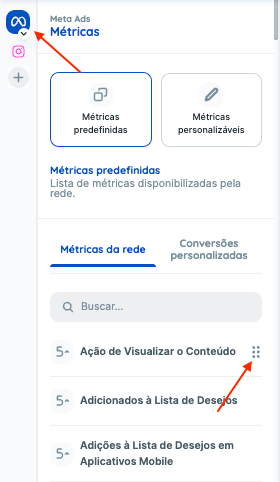
The panel shows the available metrics. Under predefined metrics, drag the metric into the appropriate network block in the report.
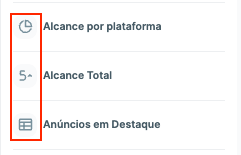
Metrics have three display formats: numbers, tables, and charts. The icon beside each metric identifies its format.
For more customization options, see this guide.
If you have questions, contact our Support team.