
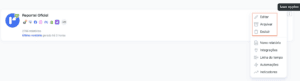
In Reportei, click the three dots next to a client’s name and choose Edit, Archive, or Delete, as needed.
Important: deleting or archiving a project is irreversible. Check your selection carefully before confirming.
How do I view archived projects?
On the project home page, click the arrow beside My projects and choose the option to view archived projects.

Archived projects remain available in read-only mode.
If you have questions, contact our Support team.