
You can now import images and videos directly from Google Drive when creating or editing Flux posts. You no longer need to download files to your computer before uploading them.
Many agencies create images and videos in other tools and store the files in Google Drive before adding posts to Flux. This integration offers:
- Less manual work: you no longer need to download each file before adding it to Flux.
- Faster creation: access your assets while creating the post.
- Less switching between tools: import media within your content creation workflow.
How to use it
- When creating content, open the Media section.
- Below the standard upload area, select “Import from Google Drive”.
- Sign in to your Google account when prompted.
- Browse your Google Drive files and select the media you want to add to the post.
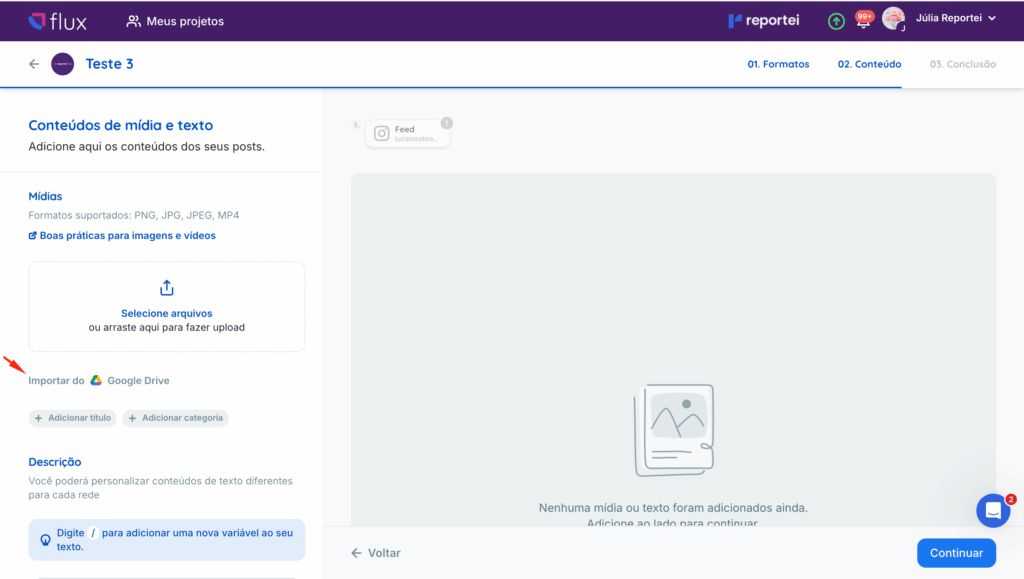
Note: you can still select files from your computer or drag them into Flux. Google Drive import is an additional option, not a replacement.
Frequently asked questions
Do I still have to upload files manually?
No. You can use Google Drive import, standard uploads, or both, depending on your workflow.
Does it only work with images?
No. Google Drive import supports both images and videos.
If you have questions, contact our Support team through chat. =)