
The Hotmart sales platform integration is available on Pro and Premium plans. To add your account, open your project, go to “Manage integrations”, and scroll to Hotmart’s icon:
Click “Connect” to open the screen below, which shows the steps to follow:
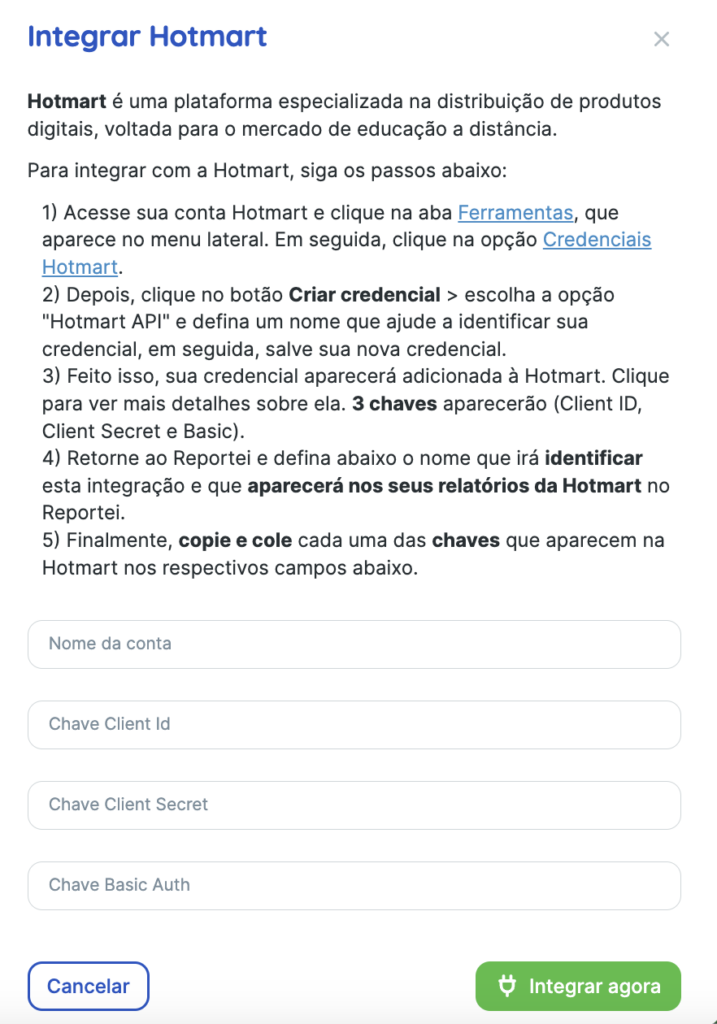
Note: copy only the key values. Do not add words such as “Basic” to the code.
Time to generate reports!
After completing these steps, your Hotmart account will be connected to Reportei. You can generate reports and view key store data directly in our platform.
Click here to watch our launch livestream covering the integration in detail.
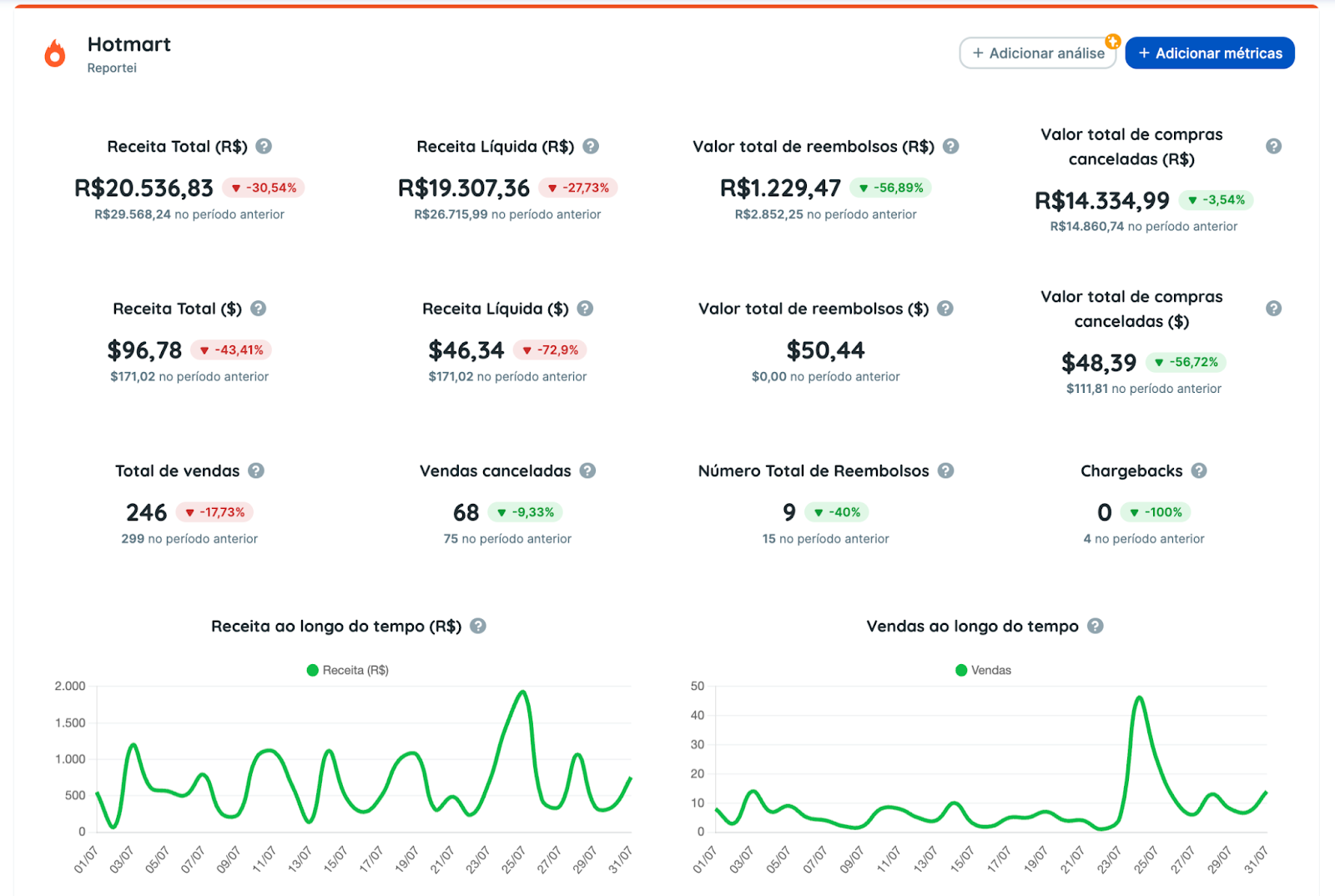
Here are some metrics available in Hotmart reports. The full list is available in the report’s metric selector.
- Total and final revenue
- Total sales
- Total refund value
- Total value of canceled purchases
- Number of canceled sales
- Total number of refunds
- Number of chargebacks
- Sales by product table
- There are also two charts showing revenue and sales over time.
In addition to reports covering the entire account, you can generate reports or dashboards by Hotmart product. When generating one, select the products you want to analyze:

This lets you examine the data for each product managed by your account in more detail.
Note: the Hotmart integration is available on all Reportei PRO and Premium plans.
If you have questions, contact our Support team! =)