
Reportei can generate reports with data for an entire account or metrics for selected campaigns. Understanding the difference helps ensure your reports show exactly what you need to analyze and share with clients.
Here is how each option works and how to configure your report.
Whole-account reports
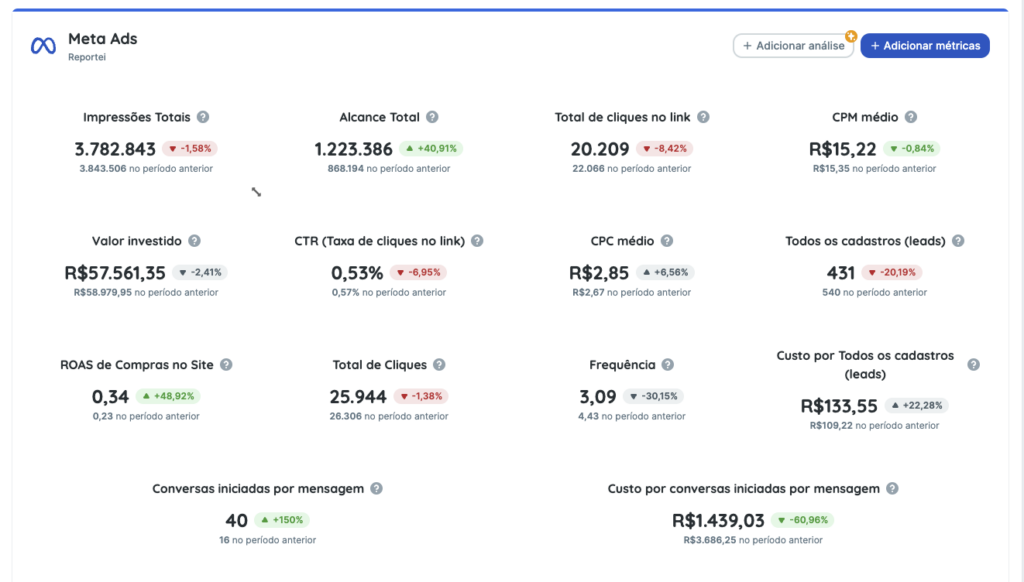
A whole-account report provides an overview of metrics for the connected account, regardless of individual campaigns.
What is displayed?
• Aggregated data from campaigns that were active and produced results during the selected period.
• Impressions, reach, total cost, and other account-level metrics.
When should I use it?
• To present an overall view of account performance.
• When a client wants to understand the combined impact of all campaign activity.
Example of a report with whole-account data:
Reports for specific campaigns
Selecting specific campaigns filters the information so you can analyze their performance individually or together, excluding data from other campaigns.
What is displayed?
• Metrics for the campaigns selected when generating the report.
• Clicks, conversions, and costs broken down by campaign.
When should I use it?
• When clients want to assess particular campaigns.
• For detailed analyses focused on specific activities or periods.
How do I configure this in Reportei?
When generating a report, you can:
1. Generate a report for the entire account. This displays account-level metrics for a complete performance overview.
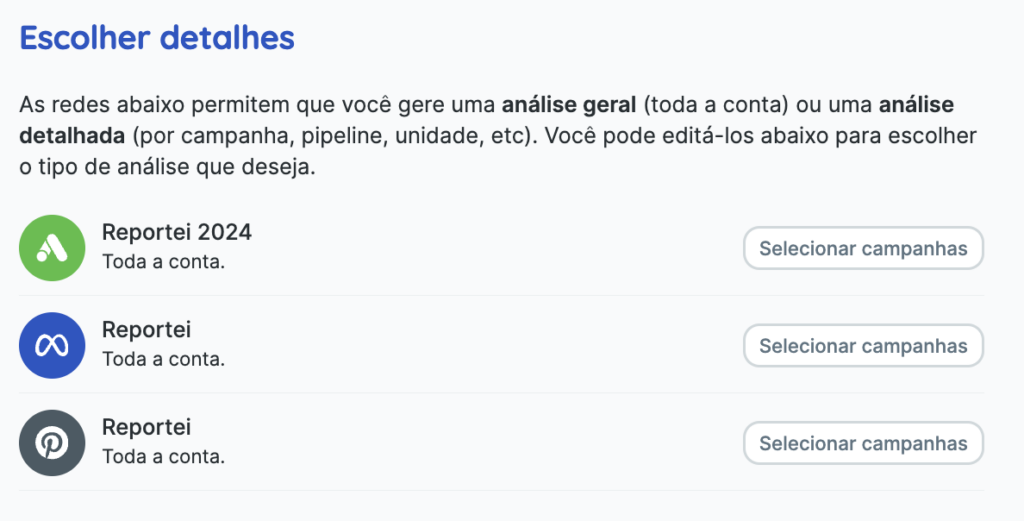
2. Select specific campaigns. The “Choose details” section lets you select campaigns of interest so the report shows their data.
Tip: a custom template may contain saved settings that affect the data displayed. For example, a template configured for the entire account will display whole-account data even if you selected specific campaigns.
Example of a report with data for specific campaigns:
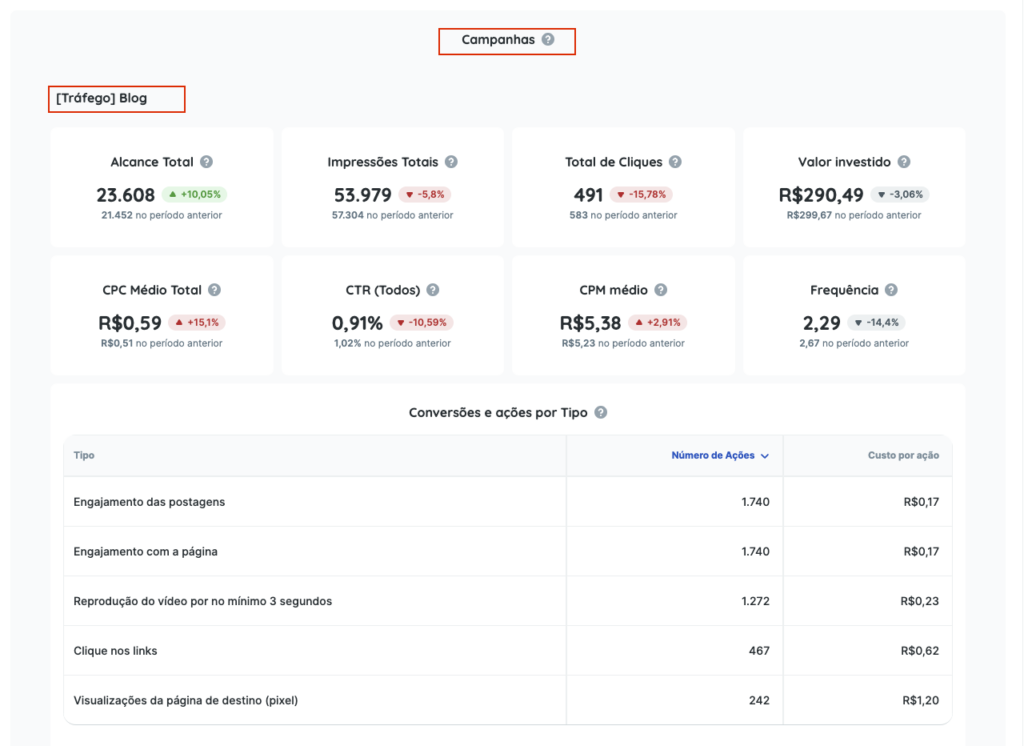
*Specific campaign data appears in the “Campaigns” block, with each campaign’s name followed by its metrics.
Which should I choose?
The right choice depends on the purpose of your analysis:
• Whole account: useful for broad, strategic reports.
• Specific campaigns: useful for detailed diagnosis or when clients need segmented information.
If you have questions, contact our Support team through chat! =)