
Now it is possible to integrate Keyword.com into Reportei and thus track the evolution of a site’s organic positioning directly in your reports and dashboards
The Keyword.com is a rank tracking platform focused on SEO and monitoring search engine positioning. With it, you can track how a site is positioned on Google for certain keywords and observe the evolution of these rankings over time.
Furthermore, it’s possible to analyze results considering factors like device and keyword, which helps in understanding visibility and movements in search positions. This integration is particularly interesting for agencies and SEO professionals who need to present to clients the evolution of a site’s organic positioning.
The integration is available for users starting from the Premium Plan in Reportei
What you can track
By integrating Keyword.com, you can bring metrics, graphs, and tables to Reportei, such as
- Monitored keywords
- Ranking keywords
- Average position
- Share of voice
- Top 3 keywords
- Unranked keywords
- Keywords that moved up
- Keywords that moved down
- Total search volume
- Average CPC
- Positioning evolution graph
- Average position over time graph
- Keywords positioning table
- Positioning by page table
This way, it becomes much easier to clearly show the results of SEO work over time.
How to connect Keyword.com to Reportei
Locate Keyword.com in Manage Integrations when you access the desired client
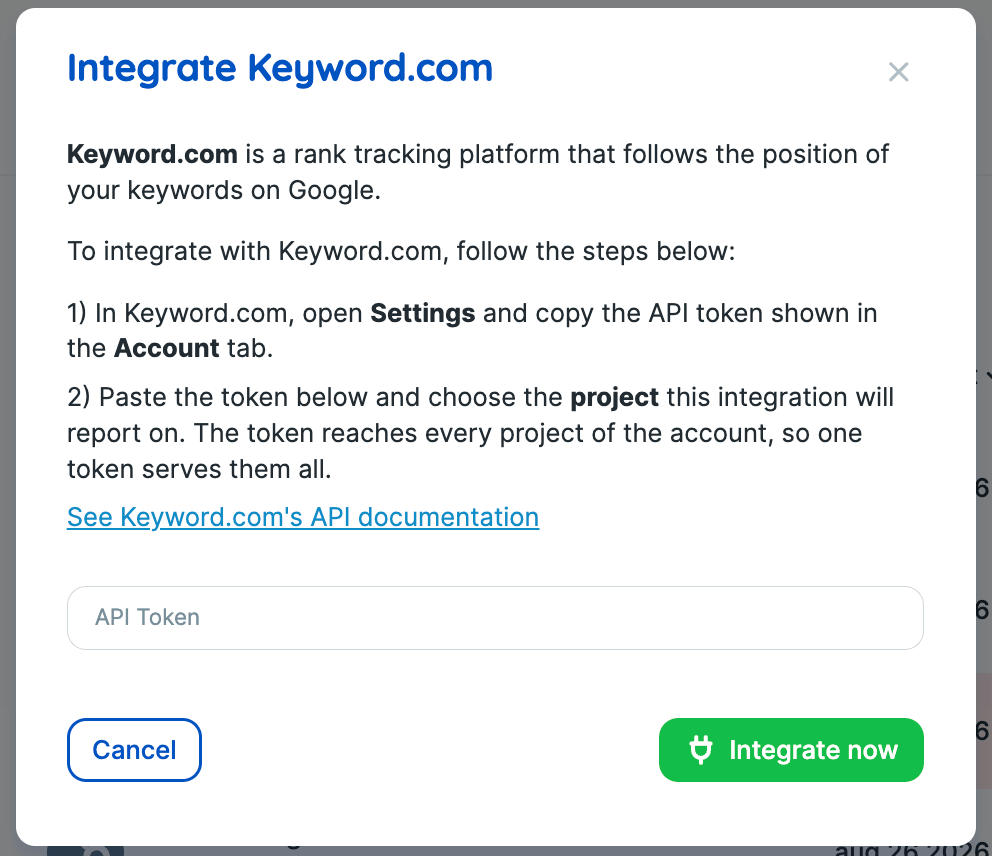
To integrate the network into Reportei, it is necessary to provide an API token See the step-by-step
In Keyword.com
- Open Settings and copy the API token displayed in the Account tab.
In Reportei
- Paste the token into the integration field
- Choose the project for which this integration will generate a report
The token covers all projects in the account, so a single token is sufficient for all.
🔗 See the Keyword.com API documentation
Important Currently, the integration with Keyword.com is in the Alpha phase.