
In addition to manually selecting campaigns when filtering report metrics, it is now also possible to filter campaigns by rule in Reportei. With this option, you set a text criterion for the campaign name, and the system itself identifies which campaigns should be included or excluded from the metric without needing to mark each one manually.
This feature is especially useful for ad accounts like Ads and CRMs that have a large volume of campaigns, where selecting item by item can be laborious and frequently needs updating.
How the filter works when selecting campaigns
This filter option has been available for a longer time and allows you to select which campaigns you want to be considered for data return in each metric.
You can select more than one campaign.
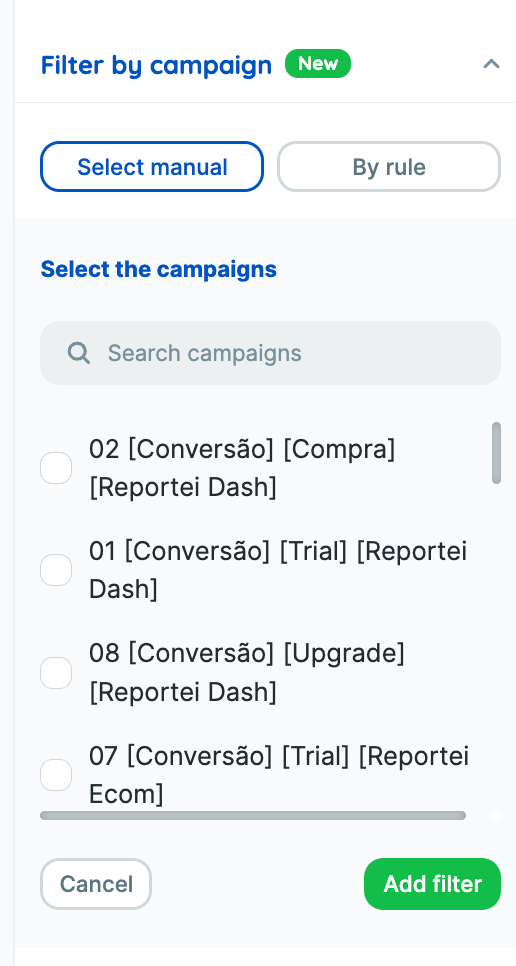
The limitation of this filter is that campaigns can be paused or completed, and in this case, the filter will not change automatically, requiring you to edit it for adjustment.
How the new filter by rule works
When setting up a metric filter, you can choose between two conditions based on the campaign name:
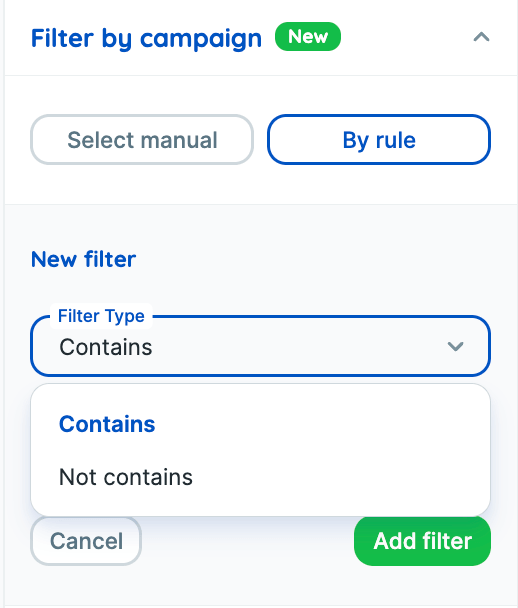
- Contains considers only the campaigns that have a specific term in the name.
- Does not contain excludes campaigns that have a specific term in the name.
For example, you can set up a filter to consider only campaigns that contain search in the name or exclude campaigns that should not contain a certain term, without having to locate and mark each campaign manually on the list.
How to set up
- In the desired metric, click on Edit in the gear icon.
- In the configuration sidebar, click on Campaign filter and choose the By rule option instead of Manual selection.).
- Set the filter type as Contains or Does not contain.
- Enter the value, the text that should or should not be present in the campaign name.
- Click on Add filter..
The created filter remains visible and can be removed at any time, and you can combine more than one rule in the same metric.
The manual selection option continues to be available as an alternative within the filter configuration.
More dynamic reports
One of the main benefits of the filter by rule is making the report more dynamic. If a new campaign is created and its name matches the configured rule, it is automatically considered automatically in the metric as soon as the report is updated, without you needing to add it manually to the filter.
Where the filter by rule is available
Currently, the filter by rule can be used in:
- Ad integrations, such as Meta Ads and Google Ads
- Numeric metrics
- Metrics calculated in the network block and the custom block
- Funnel in the network and the custom block
- Metrics in the custom block
- Tables
It is not yet available for grouped metrics..
Our team continues to expand this feature to other visualization formats, such as graphs, making report configuration increasingly quick and flexible.
For any questions, contact our support team via chat.