
Reportei offers three navigation themes. Accounts use the Reportei theme by default.
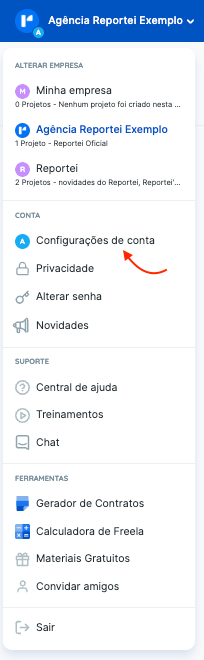
To change it, open Account settings in the top-right menu and select Account. Choose one of the other available themes.
The options appear under Navigation theme.
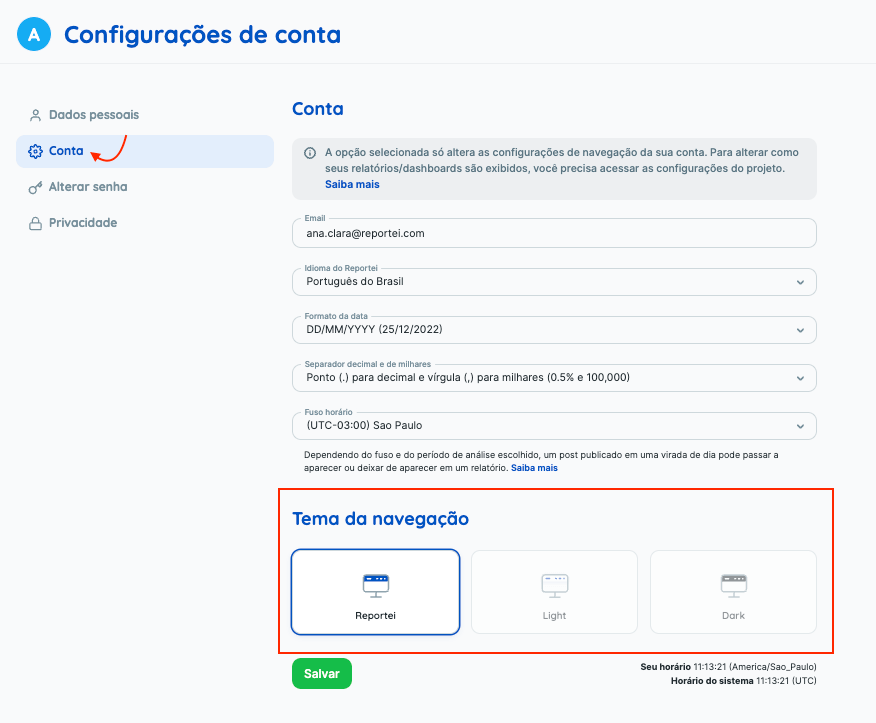
The three available themes are shown below.
If you have questions, contact our Support team.