Discover the features of the Looker Studio and Reportei dashboards and find out the main differences between the two tools
When it comes to creating marketing and sales dashboards, both Looker Studio and Reportei stand out by offering speed, flexibility, and integration with various data sources.
But do you know which of these platforms fits your business better? In this article, we will objectively compare these two tools, highlighting the advantages and features of each to help you make the best decision. Follow along.
What is Looker Studio
Formerly known as Data Studio, Looker Studio is a Google tool that enables the creation of dashboards and visual reports intuitively.
Its major differentiator is precisely the integration with an impressive variety of data sources, allowing companies and professionals to centralize information to generate more accurate insights, as we will discuss further below.
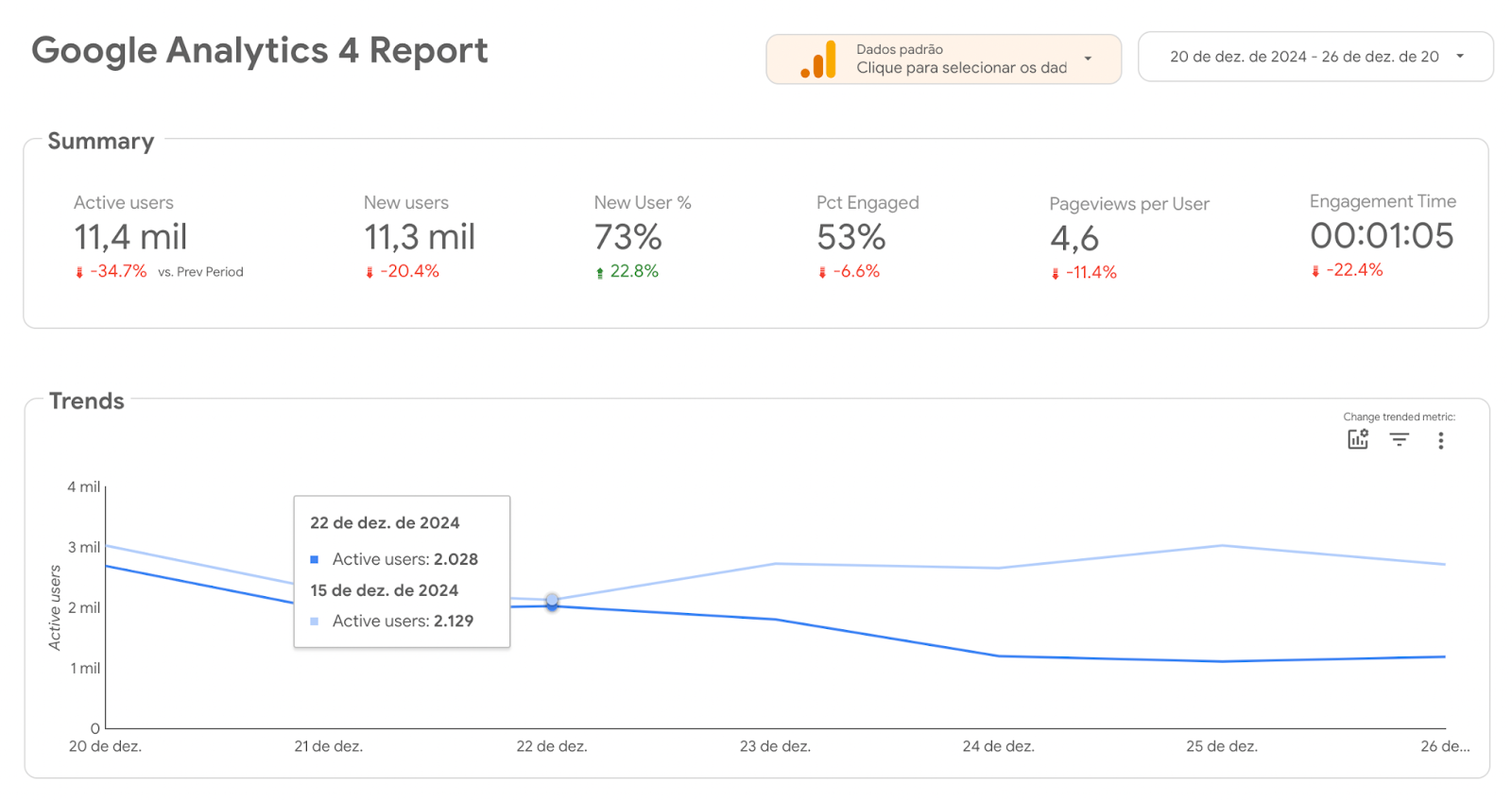
Ease of creating interactive dashboards
Through Looker Studio, you can connect different databases, social networks, advertising platforms, and other information sources without needing programming knowledge or specialized software.
In other words, you can choose from over 600 partners to import, cross-reference data, and develop your own dashboard online from Google.
This ensures great flexibility, whether for companies needing to unite financial, operational, and marketing data, or for agencies needing to aggregate metrics from various clients into a single panel.
Main features
That said, among the main features that Looker Studio delivers to companies, it is worth highlighting:
- Easy-to-use web interface with drag-and-drop features drag-and-drop it facilitates the organization of elements, the customization of colors and graphics, and the alignment of objects on the screen.
- Report templates for those who don’t want to start from scratch, there is a library of ready-made templates. This way, just connect your data sources and customize the layout according to your project needs.
- Data connectors to integrate information from Google Ads Google Analytics YouTube and social networks, among others. This makes it extremely versatile and allows you to create a Looker Studio dashboard without complications.
- Looker Studio API for more robust companies and teams, the API enables automation and resource migration. This is useful when managing multiple dashboards or performing advanced configurations in large organizations.
- Report embedding finally, the tool allows you to embed your reports in websites or intranets. This way, you can provide important insights to both internal teams and external clients.
What is Reportei
Like Looker Studio, Reportei is a tool designed to simplify and automate the creation of reports and digital marketing dashboards and sales.
Thus, its proposal is to streamline the daily operations of agencies, traffic managers, and companies that need to monitor results and present metrics professionally.
With the Reportei dashboard you can have a practical control panel to monitor in real-time the performance of campaigns, social media profiles, and other marketing tools.
It also allows you to switch analysis periods, compare data between different dates, and generate more precise insights in the project routine.
This eliminates the need to generate multiple reports throughout the week or wait until the end of the month to make decisions.
After all all monitoring can be done in a centralized manner and with quick access to the most relevant information for your business.
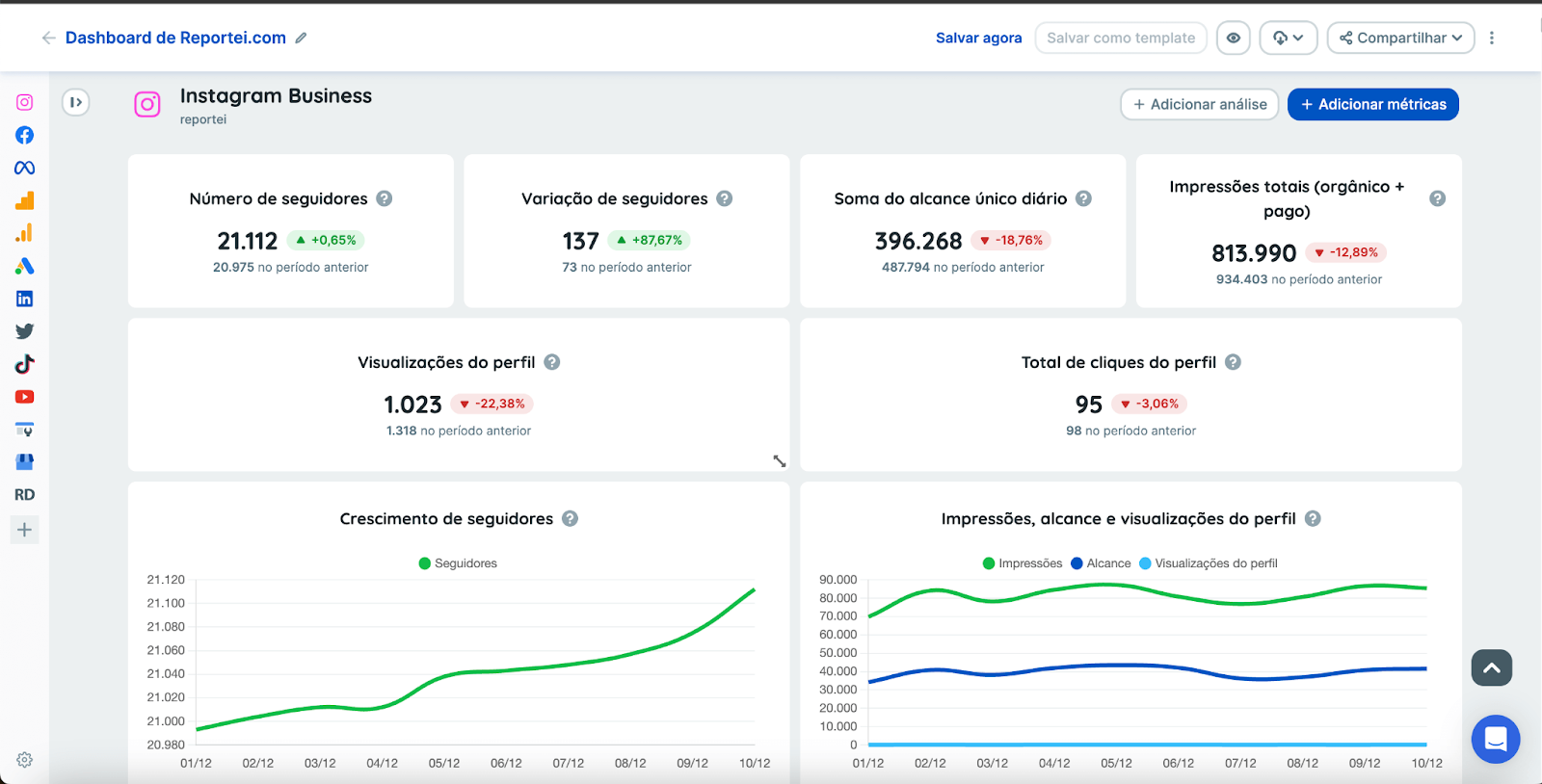
Presentation of data in a more practical way
By the way, it is worth highlighting that Reportei is present in the daily lives of over 10,000 agencies, freelancers, and marketing managers enabling the creation of professional and customized dashboards that facilitate the communication of results with the client.
For example, you can generate a single panel with metrics from Instagram, Meta Ads, Google Ads, TikTok, LinkedIn, RD Station, ecommerce platforms, CRM like Pipedrive, and much more.
This way, you don’t need to switch screens or tools to understand how campaigns and strategies are performing across different channels.
Additionally, the tool features a artificial intelligence feature to assist in generating insights, making the analysis even more robust and assertive.
Looker Studio vs Dashboard Reportei: see the main differences
Now that we have explored the main features of each platform, it’s time to compare them point by point. Let’s go!
Features and integrations
To start, Looker Studio offers over 600 connectors and integrations being very broad and flexible. In other words, it is ideal for those who want to create reports with multiple data sources and advanced customizations.
On the other hand, Reportei is focused on marketing and sales with integrations with major channels like Instagram, Meta Ads, Google Ads, TikTok, LinkedIn, RD Station, CRM, among others.
The platform’s proposal is to be more objective, which makes the report creation process simple and fast. It also offers other features like AI for generating insights.
Usability
Although user-friendly, Looker Studio still requires a certain level of familiarity with the Google ecosystem.
Thus, its learning curve may be a bit steeper for those not accustomed to BI tools or data analysis.
On the other hand, Reportei has a very intuitive interface designed specifically for those who want agility in report generation.
It’s a solution that delivers ready-made templates, automatic insights, and is specially designed for those working with digital marketing and need speed.
Customization
Looker Studio offers various customization options, from choosing colors and graphics to including more complex visual elements, dynamic tables, and custom scripts.
Similarly, Reportei also allows you to customize colors, logos, and choose which metrics to display.
Indeed, its focus is on offering a professional and objective presentation Thus, the number of advanced elements is leaner but efficient for the routine of marketing professionals.
Pricing
Undoubtedly, one of Looker Studio’s great attractions is its free self-service plan.
However, for those who want to go further, the Pro plan costs US $900 monthly per user per project The difference between the plans lies in sharing limitations and some additional governance and support features.
Reportei, on the other hand, offers plans starting at R $69.90 which include the possibility of registering up to 5 projects, generating up to 5 dashboards, and having 3 users on the platform.
In other words, it is a proposal with great cost-benefit for those looking for reports and integrations specifically aimed at marketing and sales.
Looker Studio vs Dashboard Reportei: when to choose each solution
The decision between Looker Studio and Reportei mainly depends on your business focus and the level of complexity you need daily
Thus, if you manage a large volume of data integrate very diverse sources and have needs for advanced customization and automation, Looker Studio stands out
For example, large BI teams often take advantage of the platform’s flexibility, including the API to manage multiple and more complex reports and dashboards
However, if your work is focused on digital marketing, social networks, and paid traffic campaigns the Reportei is able to meet your needs in a simpler way
Additionally, the tool provides very practical features and goes beyond dashboards, offering artificial intelligence features, goal control, and much more
Try Reportei for free
Finally, one of the best ways to determine if Reportei is the right tool for you is to test it in practice.
The platform offers a free trial period where you can create dashboards, explore integrations, and check the operation of more advanced features, including AI-generated insights.
During this period, you’ll be able to see in practice how Reportei can adapt to your processes, the volume of clients you serve, and the most relevant metrics for your marketing campaigns.
In other words, if the idea is to save time in report creation and present results clearly and objectively, the tool could be exactly what you need. Request a free trial now!