Advance planning
Organize content before publication dates
 Schedule YouTube
Include YouTube publications in brand planning and keep the calendar, review, and scheduling organized by project
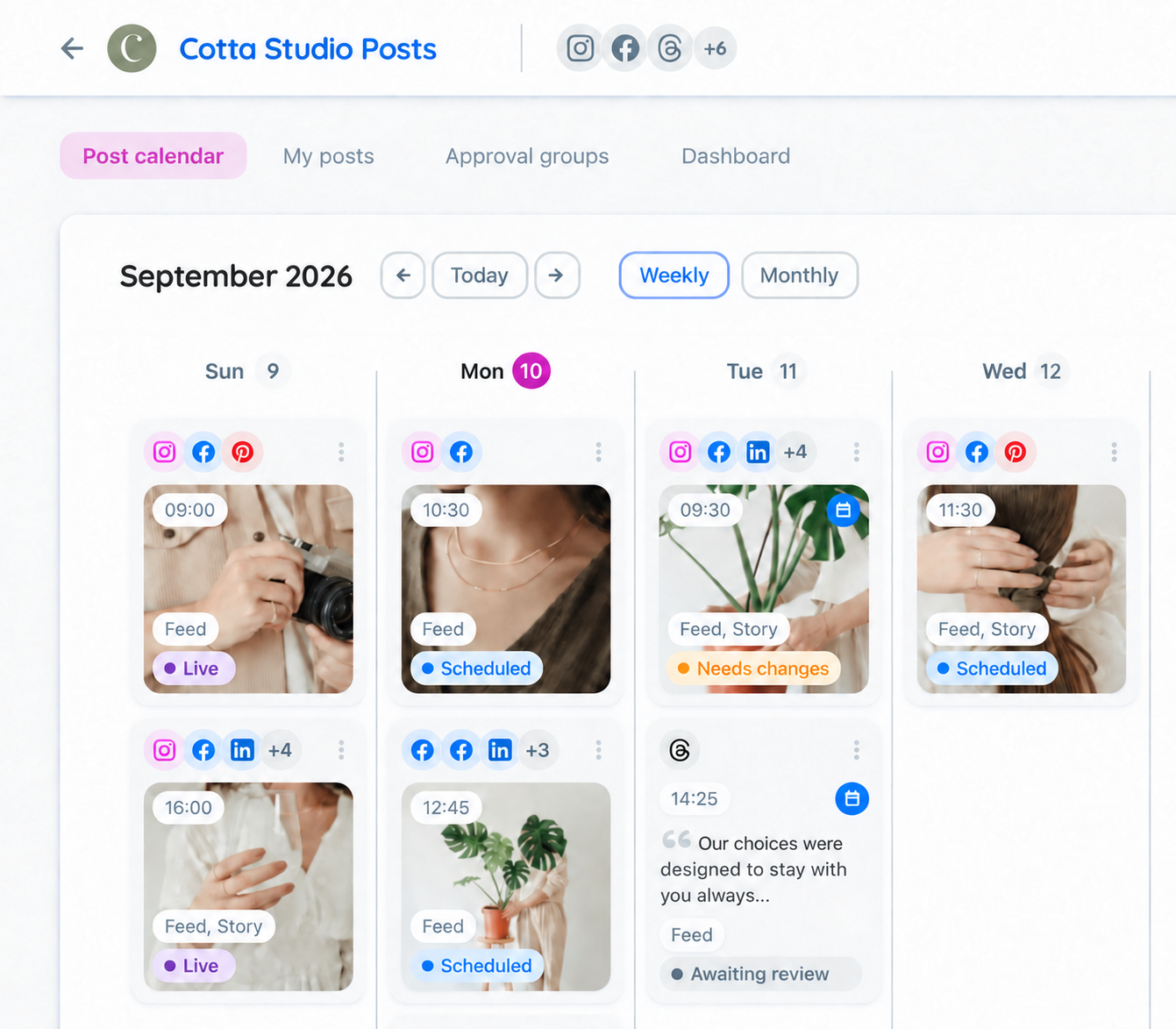
YouTube publications need to align with the brand's programming. Gather dates and the review flow for the team to track what will be published on the channel

In the project, connect the YouTube channel and check the requested permissions
Add the content and check the available formats for YouTube
Choose when to publish and send for approval if needed
After approval, track the scheduling and status in Flux
Organize content before publication dates
Include YouTube along with other networks in the project
IntegrationsReceive feedback and organize revisions before publishing
Content approvalView posts by date and find gaps in the schedule
Publication calendarPrepare multiple posts in the same planning
Post schedulingKeep each brand with its channels and publications
Select the options available in YouTube integration
Centralize adjustment requests from the team and the client
See the channel schedule alongside other networks
Keep channels and content in the brand's project
Organize deliveries and approvals for each client
Keep projects separate and monitor the team's production
Share the planning and give visibility to upcoming publications
Send posts to the client and centralize adjustment requests
Content approvalSee publications by date and share the planning
Publication calendarTrack the metrics of connected networks
DashboardConnect YouTube channel to the project, prepare the publication, choose date and time, and complete the approval and scheduling flow
Yes, Flux allows batch scheduling, project organization, and multichannel publishing
Yes, send the approval link to the client to view the content and approve or request adjustments without login
Flux offers post scheduling for YouTube. Check the available formats and requirements in the editor when connecting the network
Yes, the calendar gathers the publications of the networks connected to the project