One piece of content, multiple dates
Select the post and choose dates to reuse it throughout the calendar. Track scheduled publications in the same view.
Publication calendar
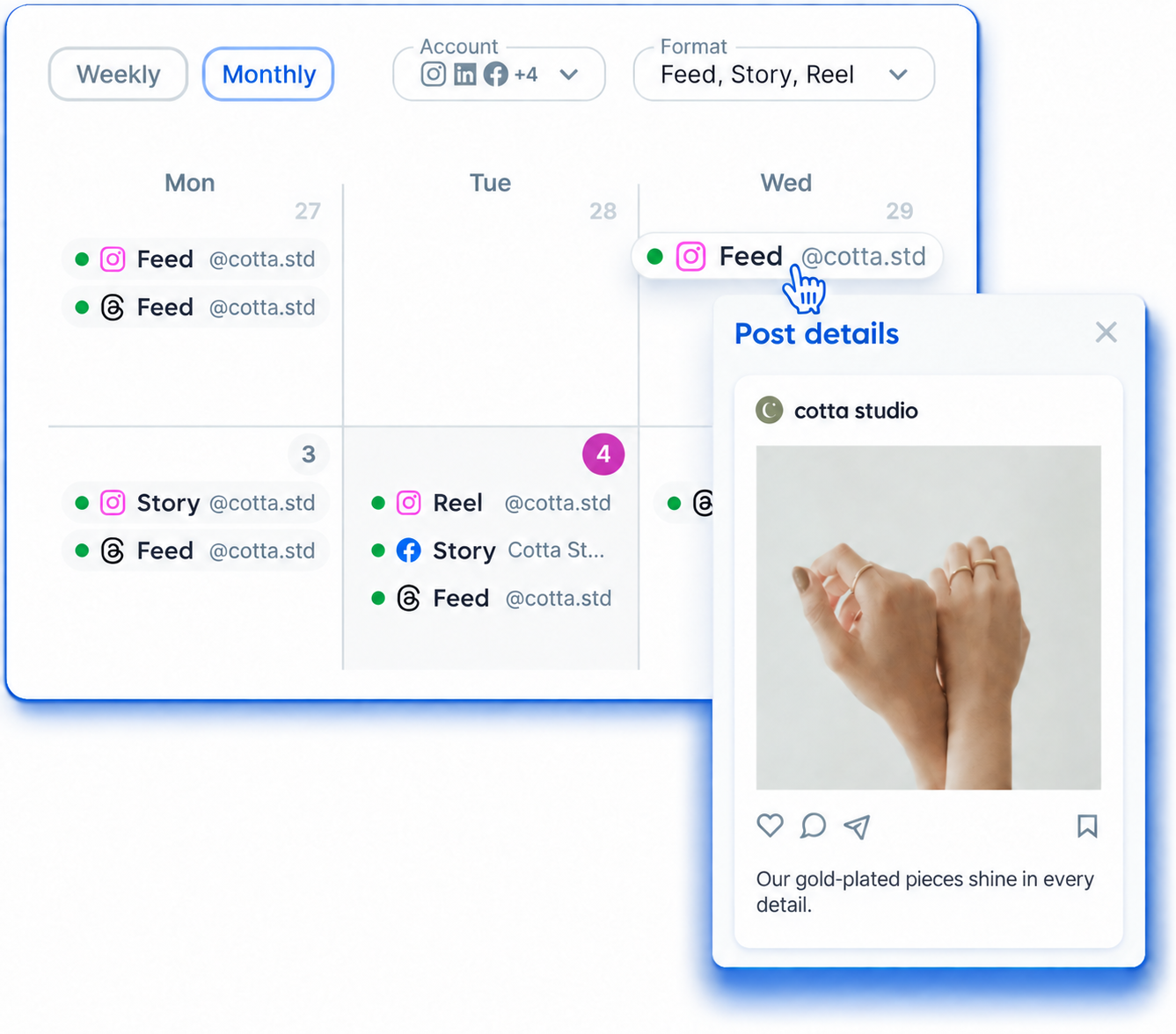
View scheduled and published posts, plan by week or month, and share an external version through a link.






 Rastro















See your project's posts over time. The calendar brings dates and statuses together so you can track the schedule without scattering your plans across conversations.
Select the post and choose dates to reuse it throughout the calendar. Track scheduled publications in the same view.
Check Flux's best-time-to-post analysis when organizing upcoming posts.
Access the client or brand's calendar.
Check posts in the weekly or monthly view.
In the monthly view, hover to see the first image.
Generate the external link to present your plan.
The Share button generates a public calendar link. The external version shows scheduled, pre-scheduled and published posts.
The link does not show history or pending actions. You can copy or disable it whenever needed.
To receive comments and change requests, use the content approval link.
Content approval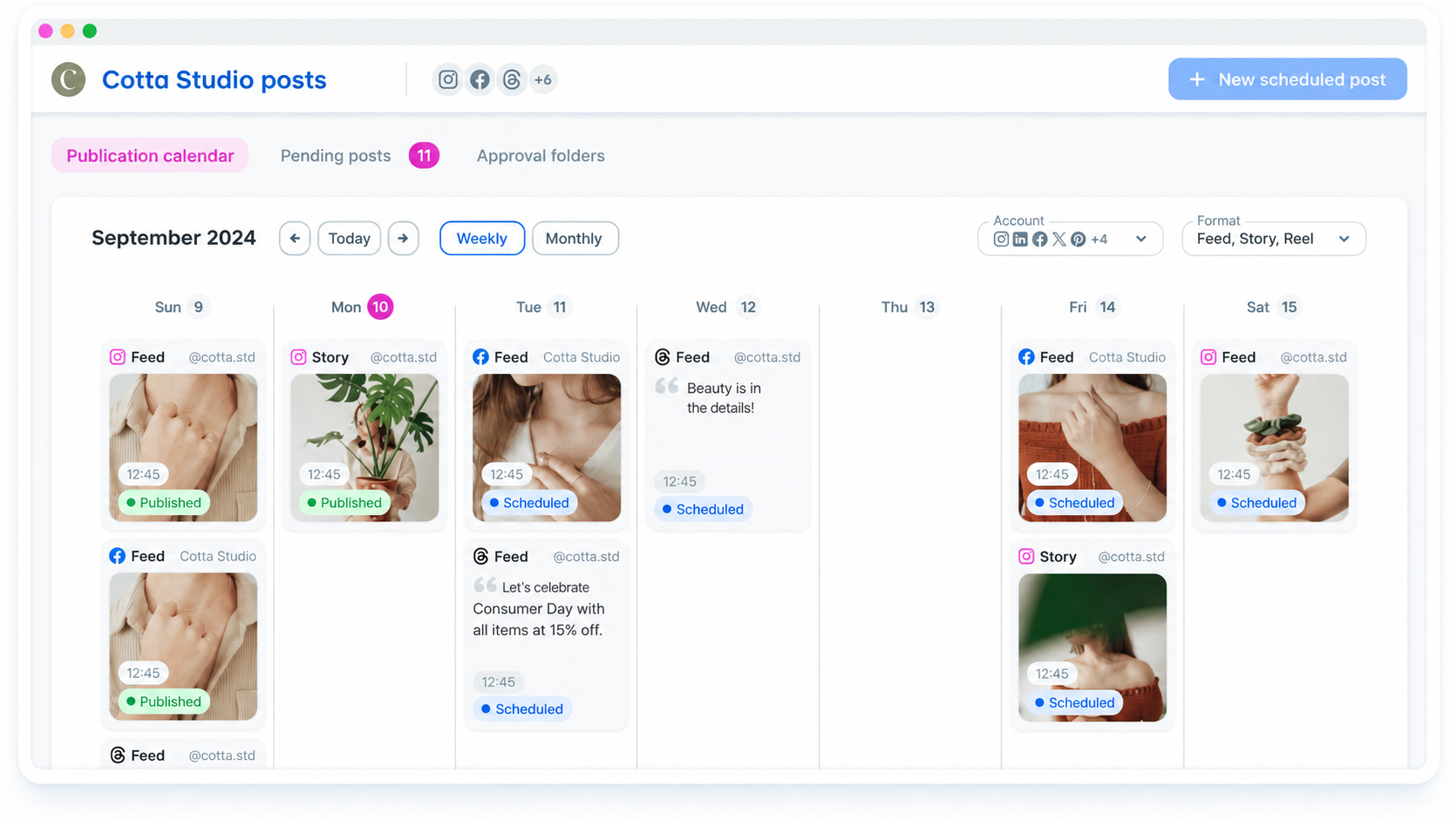
Organize deliveries and approvals for each client
Keep projects separate and monitor team production
Share the plan and give visibility to upcoming publications
Send the posts to the client and centralize adjustment requests
Content approvalOrganize various networks and projects in the same flow
Post schedulingMonitor metrics of connected networks
DashboardYes. Flux offers weekly and monthly views.
Use Share to generate and copy the public link. You can disable that link later.
Only scheduled, pre-scheduled and published posts. History and pending actions are not shown.
To approve content and request changes, use the link-based approval workflow. The external calendar is for viewing the plan.