One goal per format
Choose the metric and the result the post needs to reach, such as reach, views, interactions, shares, saves, comments or likes. You can use a shares goal for Reels and a followers gained goal for Feed posts.
Boosting
Choose already published posts to turn into ads, or set up an automatic rule for upcoming posts. The rule can boost every post or only the ones that hit a performance goal.
Requires a professional Instagram account, a connection through Facebook and a Meta Ads account. Ad spend is separate from your Flux subscription.






 Rastro















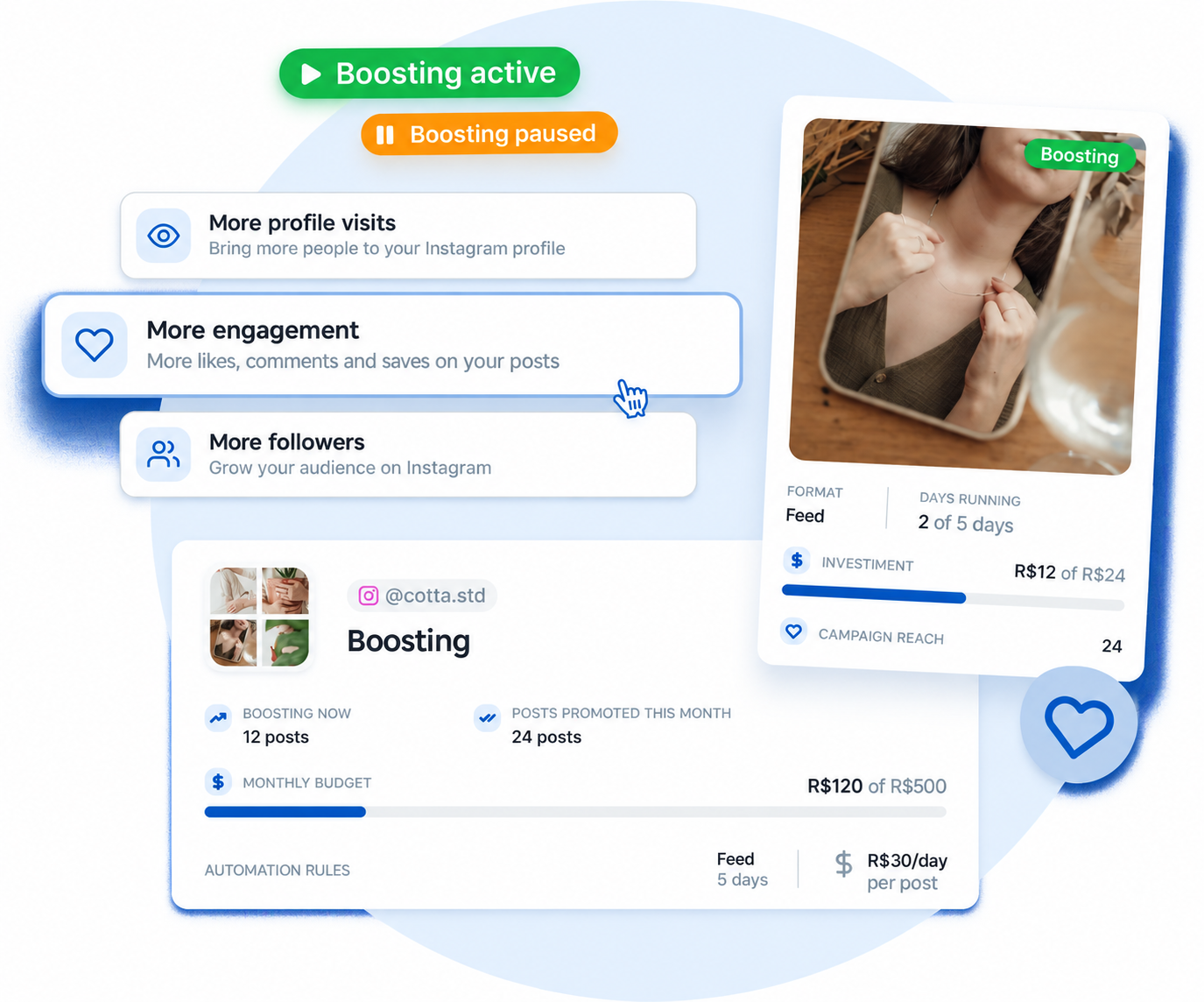
Boost Posts offers two options. Select already published posts and set their objective, daily budget and duration, or define rules for upcoming posts. Posts selected together share the same settings. To use different settings, create separate boosts. Flux shows the maximum estimated spend before you confirm. In the rules, you decide whether to boost every new post in a format or only the ones that reach an organic performance goal.
Connect your professional Instagram account through Facebook, then connect Meta Ads.
More profile visits, more engagement or more followers.
Select Feed, Reels or Stories and choose whether the rule applies to every post or only to posts that reach a goal. Then set the daily budget per post, monthly cap, duration and start time.
Check your choices and monitor the posts and automation status.
With the “Posts that reach a goal” option, Flux tracks each post’s performance after it goes live and only boosts it once it hits the result you set. Your budget goes to content that has already proven itself before it gets paid media.
Choose the metric and the result the post needs to reach, such as reach, views, interactions, shares, saves, comments or likes. You can use a shares goal for Reels and a followers gained goal for Feed posts.
Flux starts checking the post 6 hours after it goes live. Reels and Feed posts stay under evaluation for up to 72 hours, and Stories for up to 24 hours. Once the goal is hit, the boost starts automatically.
Flux suggests a goal based on the top 20% of posts in that format over the last 30 days. The suggestion appears when the account has at least 5 posts in that format in the period, and you can change the metric and the value.
While a post is under evaluation, no budget is reserved. Spend is only committed once it reaches the goal. If the evaluation window ends without the goal being met, the post is not boosted and shows as “Did not meet the criteria”, along with the result it reached.
Meta Advantage+ sets the audience automatically. In automatic boosting, posts are selected according to your chosen formats, without individual approval for each publication. You can also choose already published posts individually.
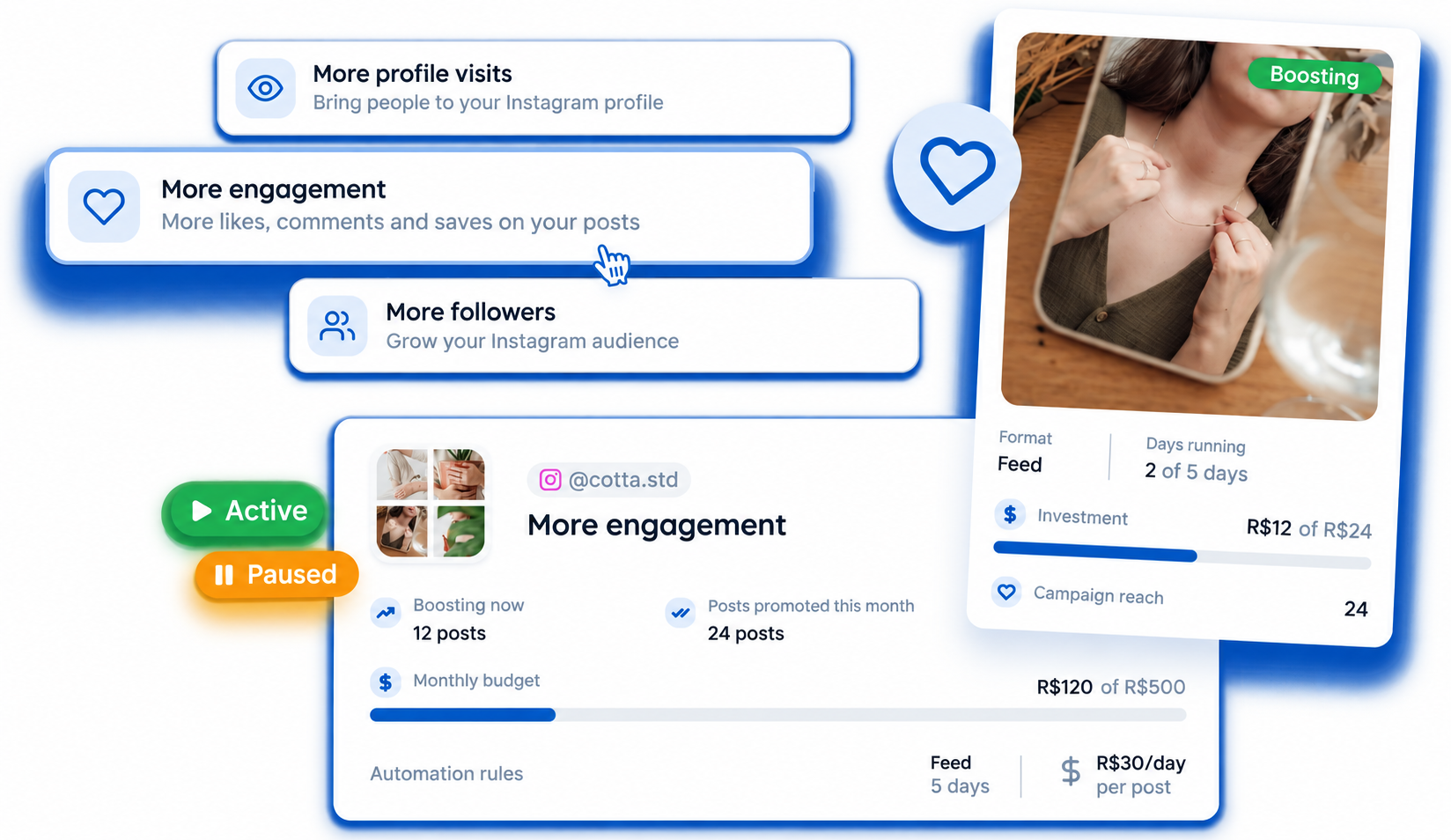
Track active, paused, completed or failed automations. Posts with a goal show as “Under evaluation”, with their progress and the time left.
Edit objectives and budgets using the options available in the automation.
Pause or resume a specific post. When you pause a rule, ads already running continue until the end of their configured period.
Organize deliveries and approvals for each client
Keep projects separate and monitor team production
Share the plan and give visibility to upcoming publications
Discover more resources to organize your routine
Schedule InstagramMonitor metrics of connected networks
DashboardOrganize various networks and projects in the same flow
Post schedulingYes. You can select already published posts to boost. If you select more than one, they all receive the same objective, daily budget and duration. When you automate upcoming posts, selection is based on format, and you can require a performance goal for each one.
Yes. In the automation, choose “Posts that reach a goal” for the format you want and set the metric and the target. Flux only boosts the post if it hits the goal within the evaluation window: up to 72 hours for Reels and Feed and up to 24 hours for Stories.
It is not boosted and appears among skipped posts with the reason “Did not meet the criteria”, along with the result it reached.
No. Spend is only committed once the post reaches the goal and moves on to boosting.
No. Existing automations keep boosting every post, just as before. Performance goals are optional.
Targeting is handled automatically by Meta Advantage+.
Meta bills the connected ad account for ad spend. Reportei does not receive the money allocated to advertising.
For automatic boosting, Flux calculates the estimated cost before creating an ad. If it exceeds the remaining monthly budget, the post is skipped. When boosting selected posts, there is no monthly cap: Flux shows the maximum estimated spend for those posts before you confirm.
The post shows Error or Skipped with the reason. Depending on the issue, you can fix it and try again.