Content approval
Send posts to the client and centralize adjustment requests
Content approvalFlux AI
Share your idea and use references to create carousel images and captions. Then review, approve, and schedule within Flux.
The free trial is for Flux. Flux AI is only available to active subscribers with monthly limits and additional plans.







 Rastro















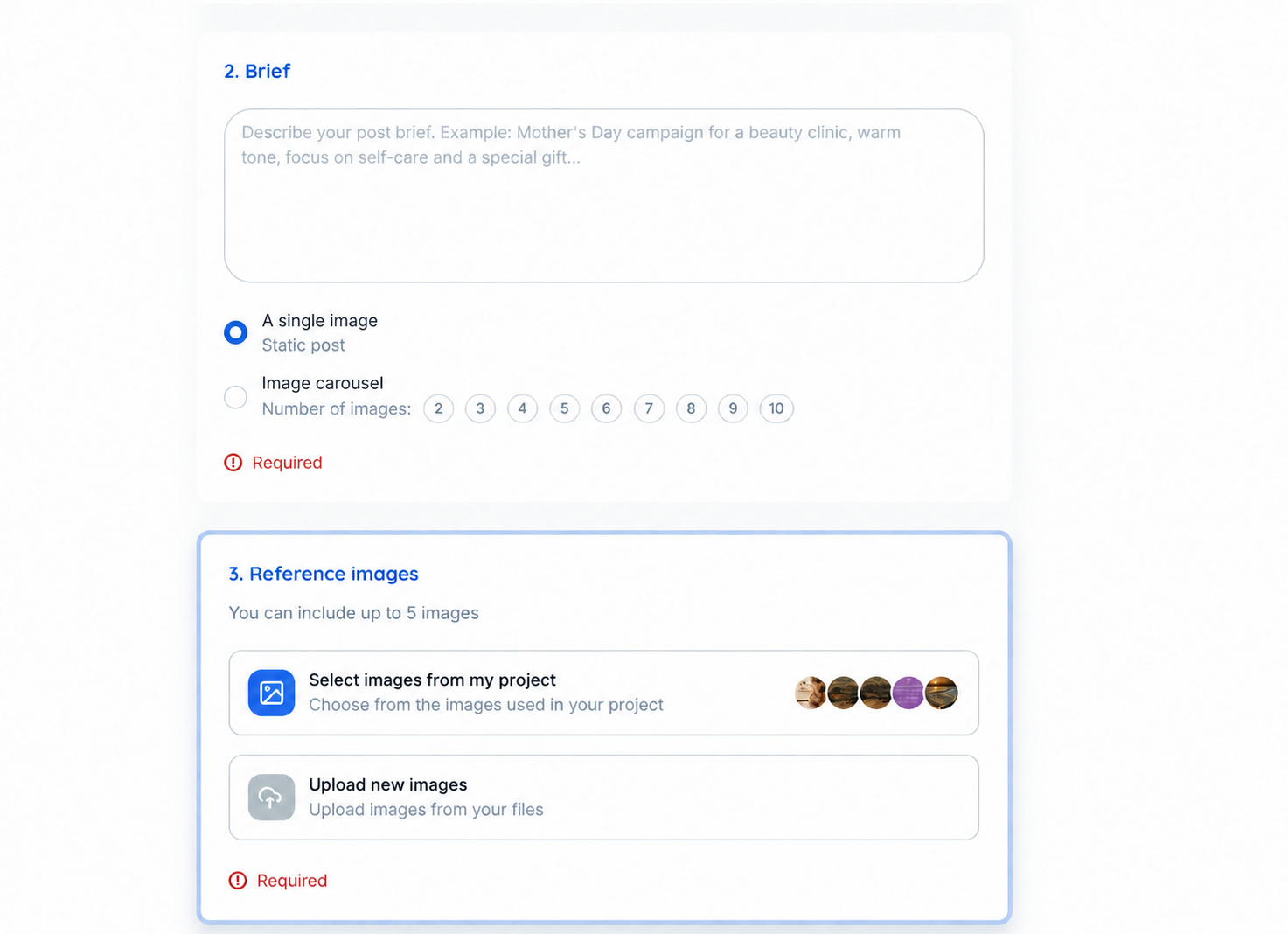
Describe what you want to communicate and use visual references to guide creation. Flux AI integrates image generation, caption propositions, and text review in your content flow.
Generate posts with a single image or carousel of up to 10 images in square, portrait, or vertical formats. Select project references or upload your images.
Analyzing Instagram posts from the project requires a paid plan for Flux AI and only considers images.
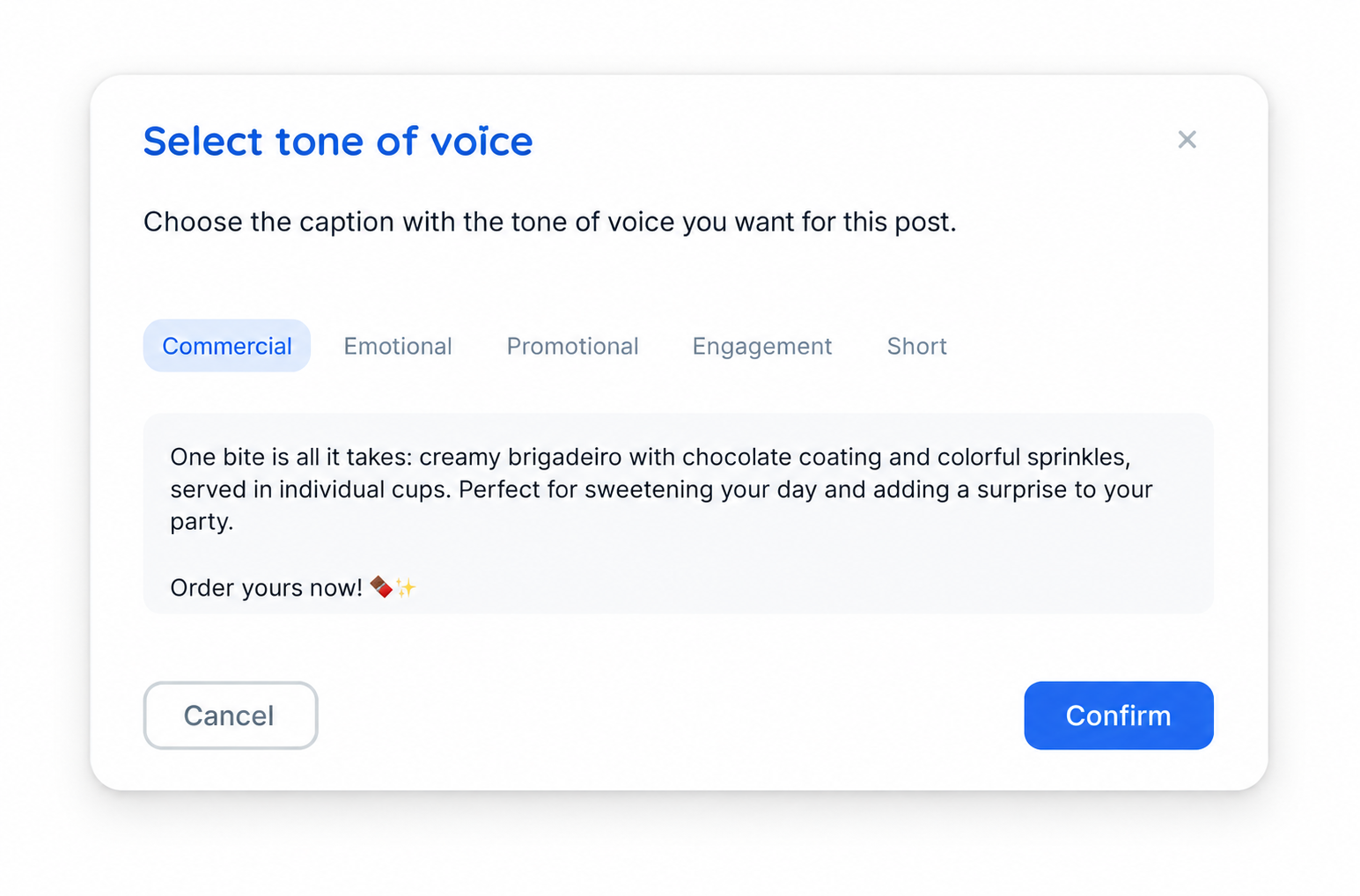
In traditional post creation, add an image and select AI Captions in the global description. Choose among the suggestions and edit the text before proceeding.
The generation considers the images of the post. It does not appear for posts that contain only video.
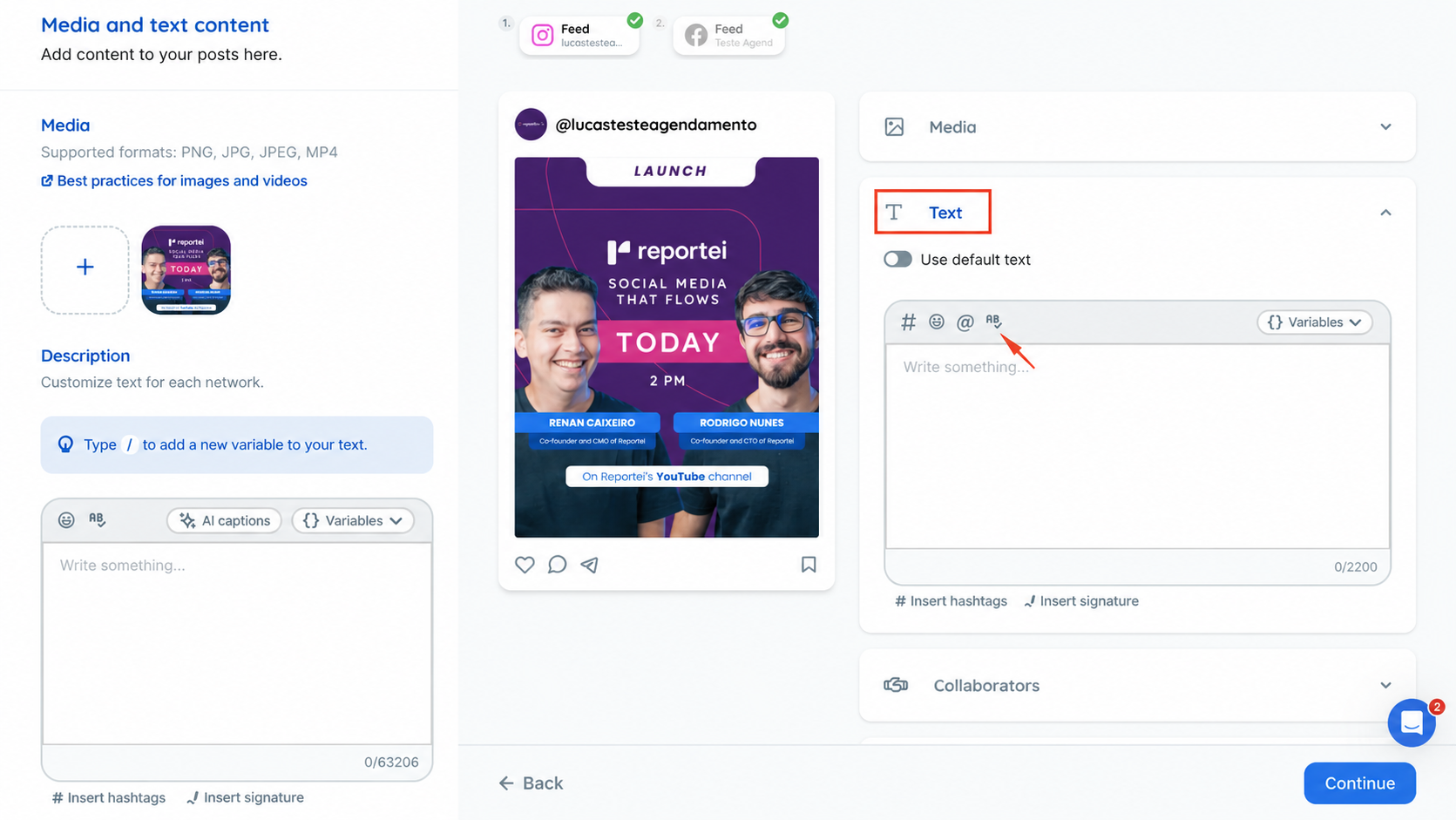
Write the caption and use spell check. The feature works in the global description and specific text format without needing to select the section beforehand.
Describe the theme, objective, and the content you need to create.
Use project images or upload your own files
Check the images and caption. Adjust the content.
Send for approval and schedule the publication in Flux.
An active Flux subscription is required. The plans below are separate monthly additions from the main plan.
| Flux AI | Additional monthly fee | Images per month |
|---|---|---|
| Without additional plan | No additional cost | 10 |
| Starter | R 100 | 20 |
| Pro | R 250 | 50 |
| Premium | R 500 | 100 |
Send posts to the client and centralize adjustment requests
Content approvalView publications by date and share the planning
Publication calendarOrganize multiple networks and projects in the same flow
Post schedulingClients with an active Flux subscription. The feature is not available for users on a free trial.
Active subscribers can generate up to 10 images a month without an additional plan. Starter R 100 for 20 images, Pro R 250 for 50, Premium R 500 for 100. The values are monthly and additional to the Flux subscription.
Each generated image counts towards the limit, including carousel images. Edits do not consume new credits during this phase. Limits renew monthly and do not accumulate.
The 7-day free trial is for Flux and does not include Flux AI. After subscribing to Flux, you can use the limit of 10 monthly images without an additional plan.
You can guide the generation with project images or uploads. Instagram analysis requires a paid Flux AI plan. Projects with more than one integrated Instagram account are not compatible at this stage.
Request Flux AI cancellation through support. The subscription is charged separately and is not automatically canceled when the main Flux plan ends.