Schedule with music
Prepare TikTok posts with music and use the Audio tab in the Instagram Reels editor before scheduling.
Post scheduling
Prepare your posts, send them for approval and set a date and time. The calendar keeps your team informed about what comes next.
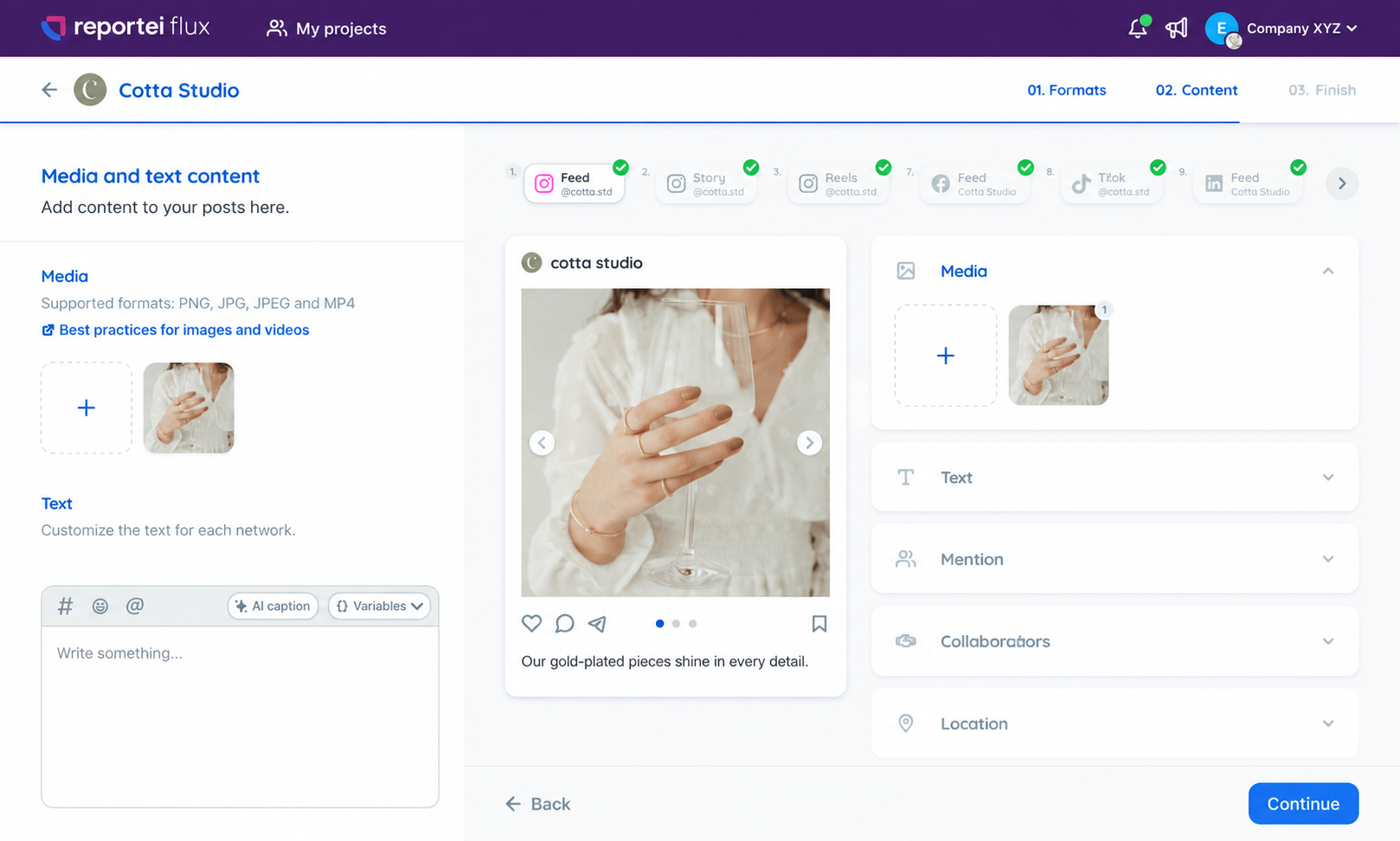
When every network has a separate schedule, planning becomes hard to follow. Flux brings your project's posts together so you can organize dates and review content before publishing.
Prepare TikTok posts with music and use the Audio tab in the Instagram Reels editor before scheduling.
Select a piece of content and choose the dates when it will be published again, without recreating each post.
Use Flux's best-time-to-post analysis to inform your publishing plan.
Choose the project and connect the brand's channels.
Add media and a caption, then select the networks.
Send the approval link and track requested changes.
Set the date and time for the approved post.
Select several networks in the same creation workflow.
IntegrationsOrganize multiple posts and get ahead on planning.
Replicate content for clients or locations.
Dynamic variablesSee published and scheduled posts.
Publication calendarReceive feedback on each post before publishing.
Content approvalTrack scheduled posts, published posts and failures in the Control Center.
Feed, Stories and Reels. Plan the profile and review content before publishing.
Schedule InstagramFeed Stories and Reels. Keep the page on the brand's calendar
Schedule FacebookPost scheduling. Bring TikTok into your team's production routine.
Schedule TikTokPost scheduling. Organize the brand's professional communication
Schedule LinkedInPost scheduling. Plan profile publications alongside other networks
Schedule ThreadsPost scheduling. Include the channel in content planning
Schedule YouTubePost scheduling. Organize the brand's publications on Pinterest
Schedule PinterestPost scheduling. Maintain local presence in the business calendar
Schedule Google Business ProfileOrganize deliveries and approvals for each client
Keep projects separate and monitor team production
Share the plan and give visibility to upcoming publications
Send the posts to the client and centralize adjustment requests
Content approvalSee publications by date and share the plan
Publication calendarMonitor metrics of connected networks
DashboardSet a date and time and send the post for approval. Once approved, it is scheduled automatically.
Yes. Flux lets you organize and schedule multiple posts to make planning easier.
Yes. Select the project's networks and adjust the content to the available formats.
All Flux plans include unlimited posts.