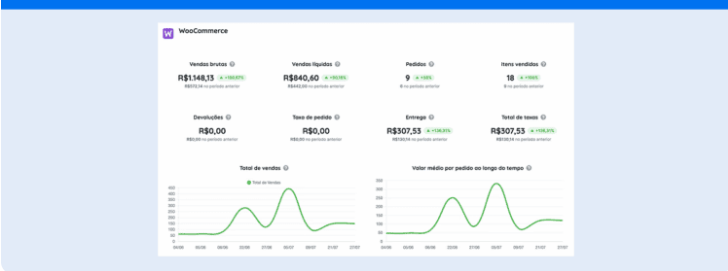
Learn how to generate a WooCommerce report through Reportei and discover the metrics automatically captured by our tool.
The WooCommerce report has arrived at Reportei to offer a practical and efficient way to track your ecommerce performance.
In this article, we will present everything about this novelty, the step-by-step to integrate the two platforms, and which metrics you can find to analyze alongside other channels in your marketing strategy. Let’s go!
Get to know the WooCommerce ecommerce platform.
The WooCommerce is a flexible and open-source ecommerce platform ideal for those already accustomed to developing websites via WordPress.
As it offers full integration with this system, the platform allows you to create customized and scalable online stores without limitations imposed by closed tools.
Therefore, among its main advantages is the wide range of available extensions that allow you to add specific functionalities such as payment methods, inventory control, and marketing strategies.
In addition, WooCommerce stands out for its ease of use and support for stores of all sizes, making it a versatile solution for various types of businesses.
Another great benefit of the platform is its very comprehensive sales reports, which can now be analyzed within Reportei.
Learn all about the WooCommerce report through Reportei.
The new integration between Reportei and WooCommerce is available starting from our Pro plan and it is based on the 9 reports offered by the ecommerce platform.
Within these reports, it is possible to access a series of segmentations, filters, and a customizable dashboard that helps analyze the main sales metrics of the virtual store. However, they are only available from WordPress version 5.3.
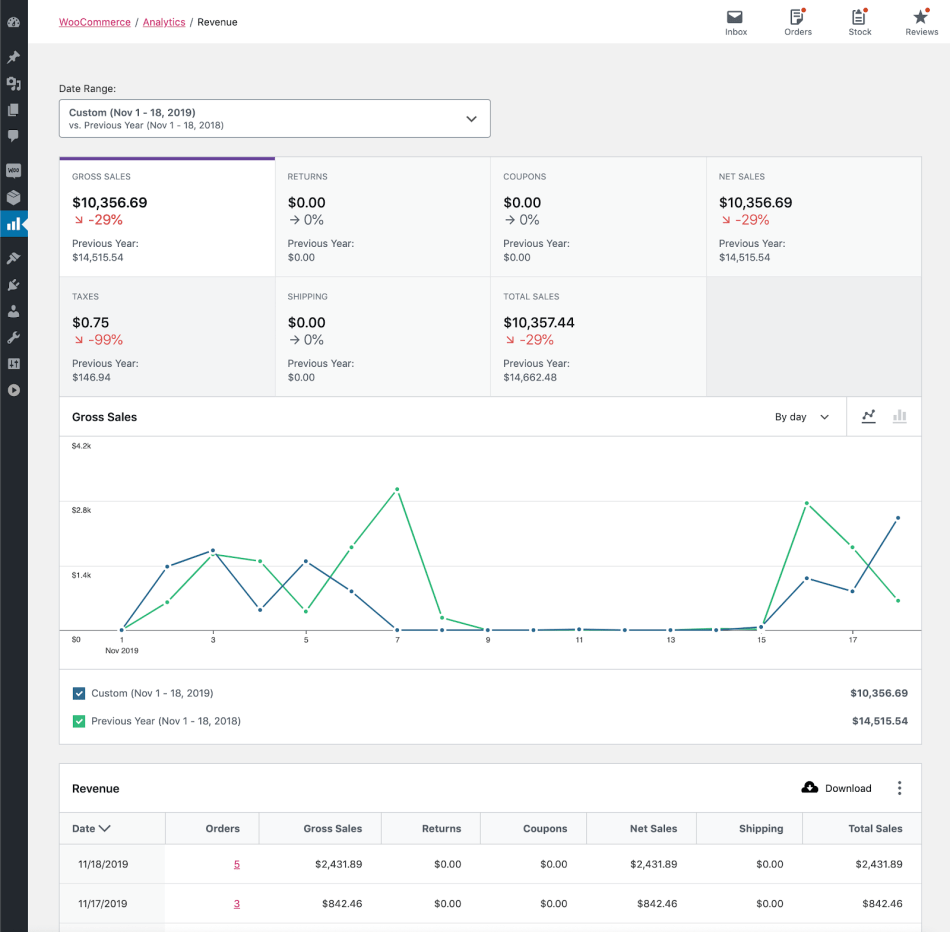
In earlier versions, the data is more limited, which can directly influence the analysis experience within WooCommerce itself. However, when we talk about integration with Reportei, this condition does not affect the creation of your reports.
How to integrate WooCommerce with Reportei.
The integration process between the platforms is very simple. Just access the Manage integrations tab within your Reportei account, select the network, and click Integrate.
Next, you will need to generate the API keys that will allow the connection between the two platforms. Within Reportei, you will find the complete step-by-step for this stage.
After clicking Integrate, your account will now be linked to our platform, and you will be able to generate your WooCommerce report completely and in just a few seconds.
Metrics available in the WooCommerce report.
The WooCommerce sales report offers various metrics, charts, and tables in its standard model. Below, we explain these data in detail and what they represent. Follow along.
Main metrics.
First, let’s address the main ecommerce metrics that Reportei automatically collects and that are highlighted at the beginning of the report. They are:
- Gross sales: product selling price multiplied by the quantity of products ordered. Does not include refunds, coupons, fees, or shipping.
- Net sales: net value of the sales for the analyzed period. This metric is calculated as follows: Gross sales – Refunds – Coupons.
- Orders: total number of new orders placed.
- Items sold: total number of items sold.
- Returns: total amount of money returned to customers through refunds.
- Order fee: total fees applied to items in an order.
- Deliveries: delivery costs associated with an order or refund.
- Total fees: total fees for the analyzed period. The metric is calculated by adding up the Order fee + Delivery fee.
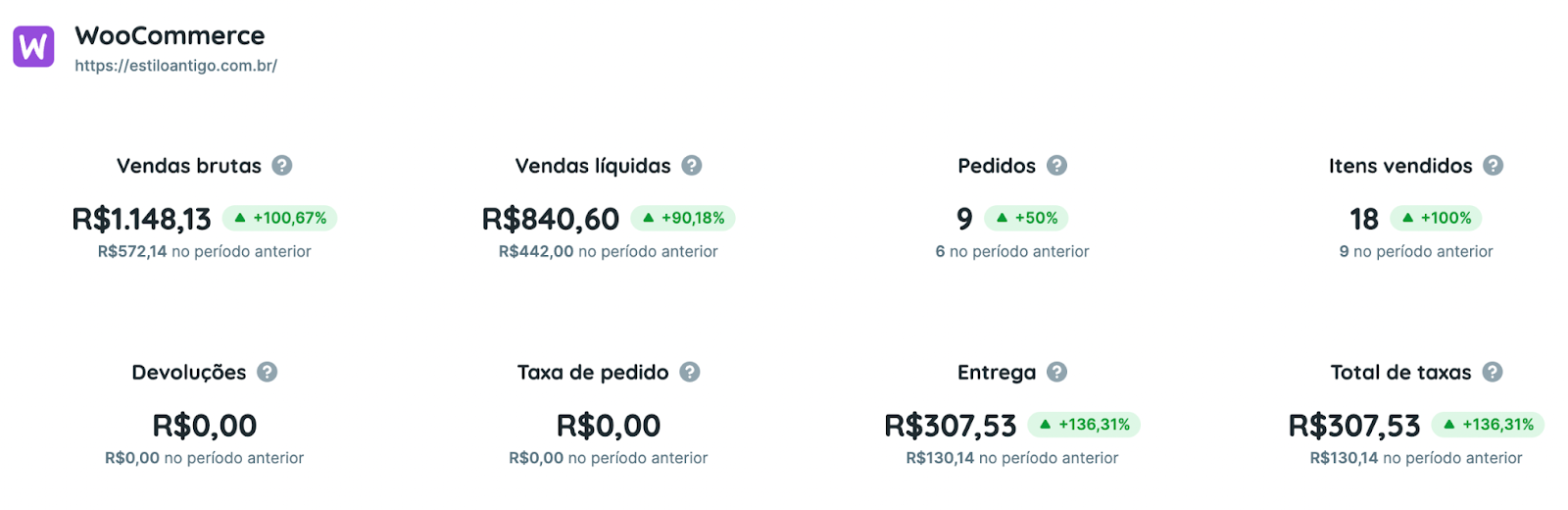
Along with this, you can also customize the WooCommerce report to add other important business metrics, such as:
- Discounted orders
- Orders on hold
- Pending orders
- Out of stock products
- Total sales
- Net discount value
- Average order value
Charts
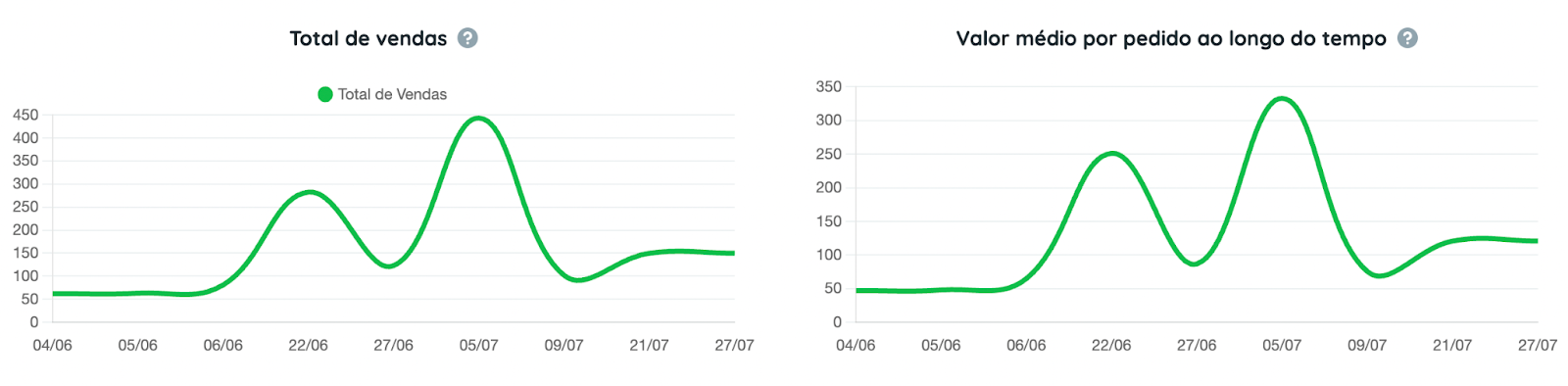
In addition to this information, Reportei also provides comparative charts that show the evolution of ecommerce sales over time, such as:
- Total sales over the analyzed period.
- Average order value over time: this metric is calculated by dividing the total net sales by the total number of orders during the analyzed period.
- Orders over time;
- Items sold over time.
You can also add other charts to analyze the quantity of deliveries, refunds, coupons used, and net sales during the requested period.
Tables
Lastly, the WooCommerce report includes tables that offer a more detailed view of the results achieved with your sales actions. Thus, you can access:
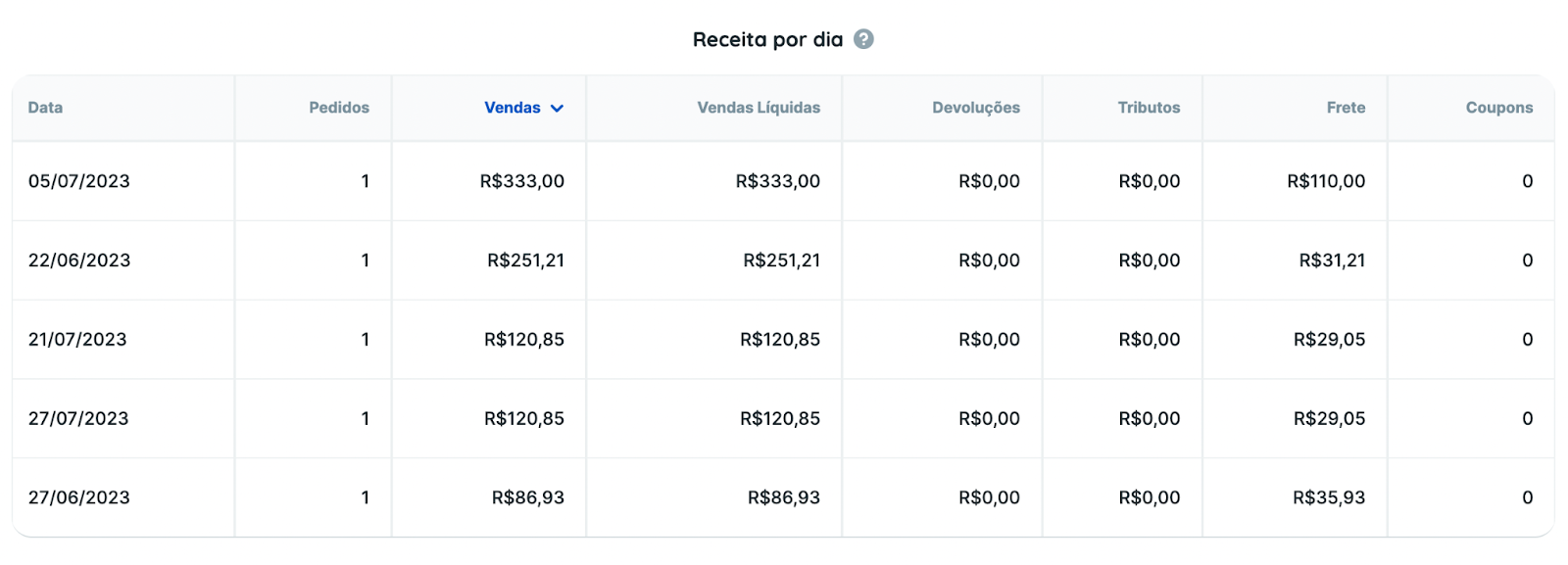
- Revenue per day: to analyze the daily revenue of orders, net sales, returns, and more.
- Product performance: individual results of the best-selling products.
- Coupon performance: with sales and discount values applied from each coupon.
To go further, you can also add tables to analyze standout customers, fee performance, and product categories.
Conduct comprehensive analyses of ecommerce strategies with Reportei.
More than automatically capturing WooCommerce metrics, Reportei helps obtain accurate analyses from different other tools such as:
- 100% customizable professional dashboards that allow you to customize reports according to your specific needs, highlighting the most relevant metrics for your business.
- indicator control panel to ensure a clear and organized view of data and your sales goals.
- AI resources with Reportei AI that generate automatic analyses and valuable insights about the data from your marketing and ecommerce channels.
With these features and integration with over 20 other networks like Instagram, Facebook, Meta Ads, Google Ads, TikTok, and GA4, our platform offers a complete and personalized view of ecommerce strategies.
Just integrate the channels in a few minutes to start capturing metrics and creating reports according to your virtual store’s needs. Enjoy our 3-day free trial to get to know Reportei and the integration with WooCommerce.