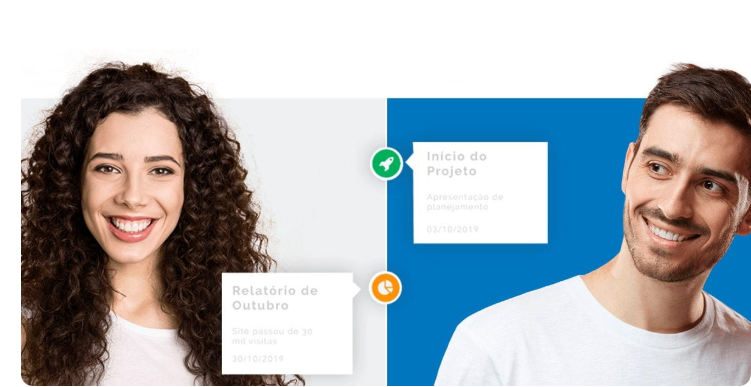
Use the Reportei Timeline to organize information with your team during remote work
The Marketing Timeline launched in 2018 by Reportei arrived at our platform with the proposal to change the way results are communicated to clients and to agency and company teams themselves.
This is because it helps to create a history of strategies and actions of the projects so that all parties involved see beyond metrics tables and graphs.
In this new reality we are living in of teams working remotely this organization of information and clear communication become even more essential for both internal and external relations.
After all, the closer the proximity, the greater the alignment of the professionals with the decision maker’s expectations and the ease of implementing strategies that meet their current needs.
But before explaining exactly how the Reportei Timeline works for your team, let’s present its features for both the company and its clients. Here we go.
Generation of more dynamic reports
Inspired by the timeline of Facebook that records the events published by a person, the Reportei Timeline allows the creation of a history with each campaign carried out in a project.
In this way, the tool allows you to tell a story that involves everything from initial meetings to the results of actions, i.e., the data found in your report.
This is therefore a way to go beyond the communication of metrics and show how strategies are planned, executed, and measured.
Thus, in a more dynamic way the client can follow the project’s progress at any time and participate more actively in the process and decisions made.
In the same way, your marketing team can also use this feature to closely monitor the stages and develop more effective plans for the future.
Internal communication of the marketing team
For your company or agency, the Timeline can then function as a way to centralize information about the project and consequently tell its story to all those involved.
By sharing links via email, you can send both the complete Timeline and individual events so that your team has more control over each new step of this journey.
If a new member joins your company, they can also check the development of the project through the tool.
After all, in each event of the Timeline you can make both textual records as well as attach the pieces of the campaigns, videos, documents and reports that are part of this evolution.
Held an internal meeting to discuss new strategies for the client? Then create an event with the agenda of what was discussed and the decisions made.
Finished a campaign? Then do not forget to share the results, whether positive or negative, so that they can be used as a basis for future actions.
The best part is that each professional can also contribute to this build from their own account. Just invite them to join the Reportei Teams and define which projects they will have access to. Much more practical, isn’t it?
How to create a Timeline in Reportei
All Reportei accounts have access to the Marketing Timeline and you can create one for each project in a very simple way.
When accessing your client’s profile on the platform, you should click on Timeline the button available between New Report and Integrations.
With that, you will be directed to the tool’s welcome page and can already create your first event.
In this event, it is possible to edit the title, tell details about what was done with text, images, video, and links add the date so that it enters the timeline and choose a category to facilitate the identification of the channel where the action was taken, such as Facebook, Instagram, or YouTube.
In addition, you can also attach a Reportei report and simplify the integration between these two important tools for communication with clients and the marketing team.
As we mentioned earlier, after creating your event you can go directly to the Timeline or share it via email with the client or your colleagues.
In a few steps, you create a story for the developed marketing strategies, facilitate the centralization of information with your team, and make communication with your decision-maker much closer and more objective.
Want to get to know the features of the Reportei Timeline up close? Then log in to your account now or sign up to test the tool