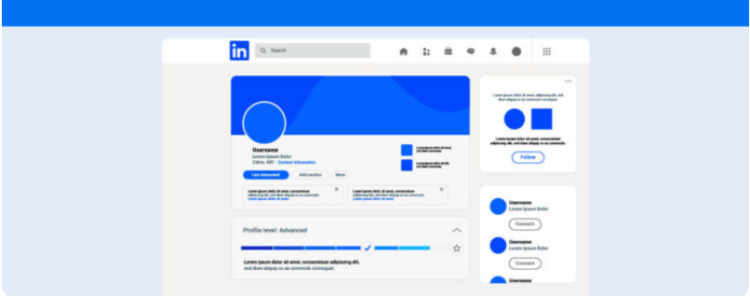
Learn how to use LinkedIn to create strategic content and the advantages of following this path on the professional network.
Today, knowing how to use LinkedIn is one of the keys to building authority, generating business opportunities, and positioning yourself as a reference in your market.
It’s no wonder why for creators and marketing professionals, this social network has become a space for creation, connection, and result analysis. In other words, a channel that combines content and strategy.
Therefore, in this complete guide, you will understand how to use LinkedIn professionally with a step-by-step guide to optimize the profile, make relevant posts, and measure the impact of your publications with tools like Reportei. Let’s go.
Advantages of using LinkedIn
To begin with, using LinkedIn goes far beyond updating your resume or looking for job vacancies.
That’s because nowadays it is one of the main social networks for networking and personal branding, with more than a billion users worldwide, with Brazil being one of the countries with the largest number of active profiles.
Thus, for creators and marketing professionals, LinkedIn offers unique advantages such as:
- Positioning of authority as it is the ideal environment for those who want to stand out in a niche and share real work experiences, behind-the-scenes moments, and learnings.
- Qualified audience that seeks purposeful content. After all, it’s a network where insights and stories matter more than viral posts.
- Business opportunities since many creators and specialists are discovered by brands, companies, and partners based on the content they produce.
- Diversified formats for creation, such as newsletters articles, videos, and live streams.
- Measuring results more practical through metrics such as engagement, impressions, and follower growth, which helps to understand what works in your strategy.
In other words, LinkedIn has evolved from being just a recruitment space to becoming a true stage for personal marketing and strategic content creation.
How to use LinkedIn in the best way: See the step by step
Now that you know the advantages of using the network, it’s time to check a step-by-step guide on how to use LinkedIn professionally focusing on personal brand building, generating authority, and constant result analysis. Follow along:
1. Optimize your profile
Before thinking about posts, it is essential to consider your profile. That’s because it is your personal website within LinkedIn and needs to convey who you are, what you do, and the value you deliver.
Therefore, it’s ideal to start by optimizing the information present in this space, such as:
- Using a professional profile picture that reflects authenticity
- Creating a personalized cover that communicates your area of expertise or your purpose.
- In the title, it’s important to go beyond the job title and describe your value proposition For example, I help brands grow with content marketing.
- In the About tab, create a LinkedIn summary that tells your story naturally highlighting results and learnings.
- Finally, ask for recommendations and keep your portfolio updated.
Without a doubt, an optimized profile is the first step to generating trust and attracting the right connections.
2. Create an editorial line
Knowing what to post on LinkedIn is a challenge for many, but having a clear editorial line helps maintain consistency and relevance.
In this way, it is most advisable to think of three main content pillars:
- Authority which aims at sharing experiences, insights, cases, and learnings from your area.
- Relationship with posts about behind-the-scenes, personal stories, and reflections.
- Practical value to teach something to your audience. For example, a tutorial, tip, or useful tool.
To use LinkedIn strategically, it is ideal to balance these three criteria. This way, the content becomes more human and connects with different audiences within your network.
3. Use varied formats in your content
Additionally, LinkedIn’s algorithm also values the diversity of content formats.
Therefore, it’s important to bet on different ways to convey your message, such as:
- Carousels which are ideal for tips, checklists, and learnings summaries.
- Short videos help humanize your brand and create a direct connection.
- Live streams great for sharing knowledge and interacting with the community in real time.
- Articles and newsletters for those who want to delve into topics and strengthen authority.
But remember, beyond the variation of formats, it’s crucial to know how to create quality content in each of them to ensure engagement with followers.
Therefore, it is worth checking the video below in which the CMO of Reportei Renan Caixeiro highlights the best strategies for LinkedIn.
4. Build an interaction routine
Also, it’s important to remember that on LinkedIn, engagement is not automatic. In fact, it is built.
Therefore, set aside time in your day or week to comment on other people’s posts, respond to messages, and participate in discussions.
This not only strengthens your presence on the network but also expands the organic reach of your profile. The more you interact, the more visible you become.
5. Analyze your results
Finally, publishing without measuring is like creating content in the dark. Thus, use LinkedIn’s own metrics or more comprehensive reports like those from Reportei to understand the performance of each publication, impressions, engagement, reaction rate, among others.
Then, based on these data, refine your editorial line and discover which themes, formats, and times work best for your audience.
Keep track of your profile’s results with Reportei
With the arrival of the new LinkedIn report on Reportei now creators and marketing professionals can clearly visualize the impact of published content without needing to collect data manually.
Thus, by connecting LinkedIn to Reportei, you will have the option to choose which type of account you want to integrate:
- Personal profile which connects directly to your login data.
- Business page requires super admin access to link.
Thus, you can analyze both your individual performance and that of the company page you manage.
Metrics available in the report
The Reportei LinkedIn personal profile report is more compact than the company page report but it brings the main metrics to monitor the growth and engagement of the profile.
Among the available indicators are:
- Impressions
- Engagement and engagement rate
- Total followers
- Members reached
- Total reactions
- Comments
- Shares
Additionally, you can find graphs that compare impressions and followers gained over time.
These visualizations are essential to identify trends and measure the impact of your actions in a clear and intuitive way.
How to use LinkedIn to prove results as a creator
If you are a creator freelancer or a marketing manager, the LinkedIn report on Reportei is an essential tool to prove results.
After all, the document transforms raw data into visual reports. ideal for presenting to brands and partners. In other words, it is possible to
- Show the growth of your follower base
- Point out the average reach of your publications
- Identify the content that engages the most
- Justify content scheduling and investment decisions.
Therefore, besides being a strategic resource, the report also saves time.
That’s because with just a few clicks, you generate a personalized document ready to be shared with clients, teams, and sponsors.
Take the opportunity to test Reportei now and see how tracking your LinkedIn results can transform your content strategy.
Bonus: Meet Reportei Flux, the best tool for scheduling your posts
To transform your day-to-day routine on LinkedIn, you can rely on Reportei Flux, a tool that offers a cutting-edge solution for scheduling posts quickly and centrally.
Created to deliver the same quality as our marketing and sales reports, Flux follows the same philosophy of simplifying processes and enhancing data.
Thus, with it you can:
- Centralize all social networks Instagram, Facebook, TikTok, Threads, YouTube, LinkedIn, Pinterest, and others are grouped in a single dashboard, avoiding constant switching between channels.
- Schedule content 10x faster the editor allows you to upload artwork, insert captions, choose multiple networks, and schedule everything in record time.
- Create a visual and intuitive calendar just drag and drop posts, change times, and visually identify content gaps.
- Build visual workflows assign tasks, track status such as in production, awaiting approval, or scheduled, and keep the team aligned.
- Carry out bulk approvals send groups of posts to clients or managers, receive feedback, and approve publications without communication noise.
Furthermore, by scheduling posts in Flux and generating your reports with Reportei, you can keep your entire social media management strategy in one place.
This makes the entire process more efficient, whether for agencies, freelancers, or companies that produce their content internally.
Therefore, if you are looking for a professional, user-friendly, and productivity-focused post scheduler, Flux is the answer.
Access Reportei Flux and discover how to schedule posts in a practical, secure, and scalable way.
FAQ: Frequently asked questions about the topic
To conclude, we’ve gathered the main questions about how to use LinkedIn strategically especially for those who want to transform their profile into a channel of authority and opportunities. Check it out:
LinkedIn is a professional social network aimed at networking, knowledge sharing, and job or business opportunities. Additionally, today it is also a space for creators to produce content and strengthen their digital presence.
To start, optimize your profile, maintain an editorial line, post consistent content, and monitor performance metrics. Moreover, interacting with other profiles is essential to expand reach.
You can post career insights, practical tips, personal reflections, case studies, videos, carousels, and articles. The important thing is to maintain authenticity and relevance for your audience.
Post regularly, use engaging headlines, interact with comments, and join conversations on other posts. After all, engagement generates engagement.
Yes. With the LinkedIn personal profile report on Reportei, you can track impressions, engagement, and follower growth even without a business page.
Build authority by sharing relevant content, connect with potential clients, and use personalized messages to start valuable conversations.
Ideally, you should have both. The personal profile serves to strengthen the individual brand while the company page extends the institutional reach and business opportunities.