Check out our list with 8 sites to create online graphics and streamline your Social Media routine
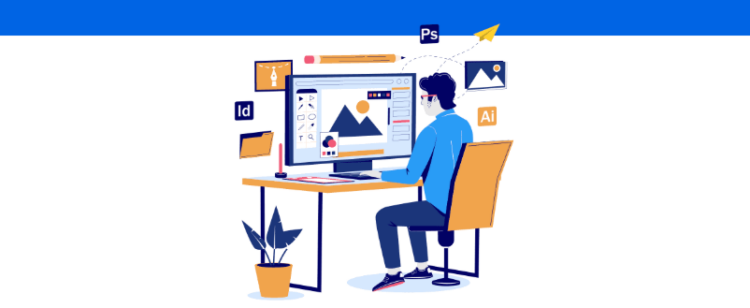
For those who work as Social Media especially as a freelancer, having options to create online graphics is a way to make the design of the pieces more practical without compromising the quality of the delivery.
Even if the professional is not experienced in this specific area, these editors are a good first step for learning and producing content that is engaging and aligned with the clients’ expectations.
Many of these tools even provide free templates for you to get inspired and venture into your creations.
That’s why we’ve selected a list here with 8 sites to create online graphics and make your Social Media routine easier. Let’s check it out.
1 Canva
One of the most popular sites for creating online graphics, whether for social media or printed materials, is Canva.
Besides being a quite comprehensive tool, Canva is free and very easy to use. Just create your account, choose a template according to your goal, and start your creation from scratch or using the available models.
You can search for layouts for holidays, product launches, promotions, interactive content, videos, and much more. The editor also provides free images, icons, and fonts to make the entire process more practical.
2 Adobe Spark
Another very popular tool with a free plan for Social Media and freelancers is Adobe Spark. Created by Adobe Systems, known for the famous programs Photoshop and Illustrator, it is a simpler version that delivers ready-to-use layouts, images, icons, and fonts, also for free.
Through this editor, you can produce not only images for social media but also videos, animations, collages, flyers, and graphic designs.
Moreover, with Adobe Stocker, you can resize art from one format to another with just one click. A great feature for those who need to share the same content on the feed and stories, isn’t it?
3 Crello
In the same vein as Canva, Crello also offers wide editing possibilities for those who want to create online graphics for social media, advertising materials, banners, videos, animations, and illustrations for websites.
According to the site, there are more than 30,000 models of professional design, integrated media library, audio resource for background removal of images, and resizing of pieces, although this is not done automatically like in Adobe Spark.
4 BeFunky
Presented as an all-in-one creative platform, BeFunky offers free and paid features that provide a very complete and unique experience for any Social Media.
Among its most notable features are
- Image cropping and resizing
- The transformation of photos into art with artistic filters
- Batch photo editing
- Portrait retouching
- One-click collage creator
All of this in a very simple and intuitive way. For those opting for the paid plan, prices start at 4.99 monthly.
5 Shutterstock Editor
Shutterstock, one of the largest image banks available on the internet, also has a tool for creating online graphics, the Shutterstock Editor.
With an intuitive interface, the platform promises to save you time and resources so that you can develop pieces for ads, presentations, and social networks in just a few minutes.
To make your work more practical, Shutterstock Editor offers a library with more than 350 million materials including custom models made by professional designers and free options for any Social Media to start their creations with ease.
6 Trakto
Here in Brazil, we also have a national site to create online graphics that is highly recommended by its users, Trakto.
Developed for Brazilian entrepreneurs and with ready-made models available for various types of business, this editor offers different tools for your creations, cloud storage, and a free version with
- Creation of graphics
- Up to 5 magic photo crops
- Unlimited image and icon library
- Art in video, image, and PDF format
But for those who want a more complete experience, Trakto also offers a paid plan with several unlimited resources such as magic photo crops and premium templates for only R$25.00 per month.
7 Pablo
The Pablo is the online image editor from the tool Buffer, famous for being one of the major options for managing pages and profiles on social networks.
By clicking on the platform’s link, you are taken directly to the editing panel which provides ready-made templates according to your goal, a library with over 600,000 images, sizes recommended for each social media, and options for text and logo adjustments.
Additionally, you can upload your own images and, upon finishing, download them to share directly on major networks like Instagram, Facebook, and Pinterest.
8 Snappa
Rounding out our list of sites to create online graphics, we have Snappa which also provides a personalized experience for those who want to create pieces for social media, ads, blogs, and much more.
The idea of the tool is to make your creation faster and more practical by suggesting the best dimensions for each social network, providing templates, image libraries, icons, effects, and background removal from your photos.
A positive aspect is that, besides sharing and downloading your productions, you can connect Snappa to a Buffer account and have your social media posts scheduled as soon as the graphics are ready.
In the free version, you can access more than 6,000 templates, 5 million HD photos, and 3 downloads per month. However, you also have the option to subscribe to the Pro and Team plans starting at $15.00 per month to ensure various other resources in unlimited form.
Read also The 6 best image banks for blogs and social networks
The 5 best video banks for your digital strategy
See how easy it is to rely on an editor to create online graphics even without design experience? Besides helping to inspire and develop your creativity, they can perfectly suit your budget and your clients’ goals.
Want to go further and make your entire social media management strategy more efficient? Then take advantage and also check out our article with 10 steps to create your Social Media briefing.