Check out tips to better utilize Google Analytics 4 in analyzing SEO traffic and gain better insights.
With significant changes compared to Universal Analytics UA, the Google Analytics 4 presents a more accurate way to analyze the customer lifecycle at each stage of site interaction: acquisition, engagement, monetization, and retention.
With this, it’s become easier to understand how your strategies influence results and seek more efficient ways to achieve your marketing goals. GA4 even offers various tools to analyze SEO traffic and gain better insights to increase organic traffic.
Therefore, we have prepared this article to provide essential tips on SEO analysis using Google Analytics 4 focusing on its key features. Follow along.
How to analyze SEO using GA4
With enhanced site data tracking, such as user events upon page arrival, the Google Analytics 4 offers much more accurate reports on SEO and other digital marketing strategies.
Besides the integration with Search Console, which was already part of UA, the new platform version offers filters to obtain more detailed information about the audience coming from organic sources, allows the creation of custom events to view key results like clicks on specific internal links, and provides personalized insights to improve your actions.
Want to know the details? Then see below how these key features work and how to make your SEO traffic analysis more precise with GA4.
Lifecycle Reports
Without a doubt, one of GA4’s major advantages over UA is the organization of reports that now consider the user’s lifecycle on the site. Each report brings different data to understand visitor behavior and gain insights to take action at each funnel stage.
Check below what these reports are and how they work for more precise SEO analysis.
1 Acquisition
The first tab in GA4 reports is Acquisition which shows how visitors arrive at the site. In other words, you can see which are the most impactful sources for acquiring users and traffic sessions.
Thus, organic search gains great prominence for monitoring data like
- Engaged sessions
- Average engagement time per session
- Engaged sessions per user
- Events per session
- Engagement rate
- Event count
- Conversions
- Total Revenue
All these metrics can be adjusted according to your needs so that the organic report and chart align with your client’s needs. For this, just click the pencil icon located in the top right corner of the page.
Another important point for assisting in SEO analysis is the possibility to add filters (button also highlighted in the image) and track specific data about users and sessions. For example, you can filter by the date of the first session or visit, geographic and demographic information, access time, device used, landing page, and much more.
In GA4, the data filtering feature has become much simpler, making the process of understanding results and seeking insights more practical.
2 Engagement
The second report in Google Analytics 4 is the engagement report, which considers user interactions while they are on the site. In it, you can analyze the following information:
- Events performed by visitors such as page views, clicks, session start, first visit, page scroll, and much more. Beyond standard events, you can also customize the specific interactions you wish to track.
- Conversion actions that have been set up in the account, such as an e-commerce purchase or a form registration.
- Pages and screens accessed by users considering unique visits, views, average time, event count, conversions, and revenue.
- Landing page that is, how the user arrived at your site.
As with the acquisition report, you can modify the metrics you want to see in the engagement tabs. But to track organic results more specifically, it’s necessary to create a traffic source filter.
Moreover, when creating a filter, you can add up to 5 conditions, allowing combinations to analyze organic engagement from a particular location, access device, or other parameters provided by GA4.
3 Monetization
The third report is Monetization which is essential for those working with online sales. In it, you can monitor:
- E-commerce purchases with information on products viewed, added to cart, sold, and revenue generated.
- User purchase journey by sales funnel stage from session start to sale.
- In-app purchases showing the number of orders, product revenue, and average revenue.
- Publisher ads with data on ads run on your app, engagement, and associated revenue.
- Promotions to analyze the incentives you create for purchases and how they generate sales for the business.
By adding the organic source filter in these tabs, you can easily understand how this channel influences your sales and seek actions to make these results even more significant.
4 Retention
Finally, Google Analytics 4 provides the Retention report, which shows how many of the total users are returning to your site, how they engage, make a new purchase, and their geographic, demographic, and behavioral information, among others.
Among the charts and tables that can be analyzed, two SEO traffic metrics stand out that can be captured through integration with Google Search Console.
- Google organic search impressions by landing page
- Google organic search clicks by search query
These metrics can also be adjusted according to the data provided by Search Console, such as impressions, clicks, click-through rate, and average position on Google.
Integration with Search Console
Speaking of integration with the Search Console this is also an important step for a more precise SEO analysis. After all, from this stage you can have a unified view of organic search data and your site’s performance which facilitates the understanding of results and the identification of correlations and insights.
There are two new reports available in GA4 that can be found in the Acquisition report overview tab.
- Google organic search queries which displays the keyword data used to reach your site. More detailed metrics are only available in Search Console.
- Google organic search traffic which shows landing page impressions by country or device type used.
The step-by-step to integrate Google Search Console with Google Analytics 4 is very simple. Just go to the Admin page in GA4, navigate to Product Linkages, and select Search Console to link the two accounts and start exchanging data between the platforms.
Custom insights in Google Analytics 4
Another advantage of GA4 is its important feature, the Analytics Intelligence which uses machine learning to help better understand results and make quicker decisions. With this, you can
- Ask questions about your results and get answers about organic performance that aid in a more agile and precise analysis.
- Gain insights about major changes and opportunities related to your site, such as above-normal performance on a particular page.
- User conversion modeling which enhances smart goals, smart lists, session quality, and conversion probability, helping to create audiences and model conversions.
In other words, more than just providing reports and data, the tool actively contributes to developing actions in an even more strategic manner.
How to Generate More Efficient SEO Reports with Reportei
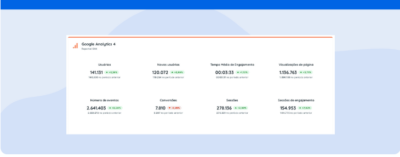
When integrating both with Google Analytics 4 and Search Console the Reportei allows even more agile and efficient report generation from both platforms, facilitating a complete analysis of your results on just one page.
In just a few clicks, you capture the main metrics of each channel to more precisely understand the site users’ lifecycle, identify growth opportunities, and present a much more visual and easy-to-understand report for your clients.
Additionally, you have full freedom to customize the document by choosing which metrics should be highlighted and which information should be present in the charts and tables.
Take advantage of our 3-day free trial and try out the reports from GA4, Google Search Console, and various other channels right now.